
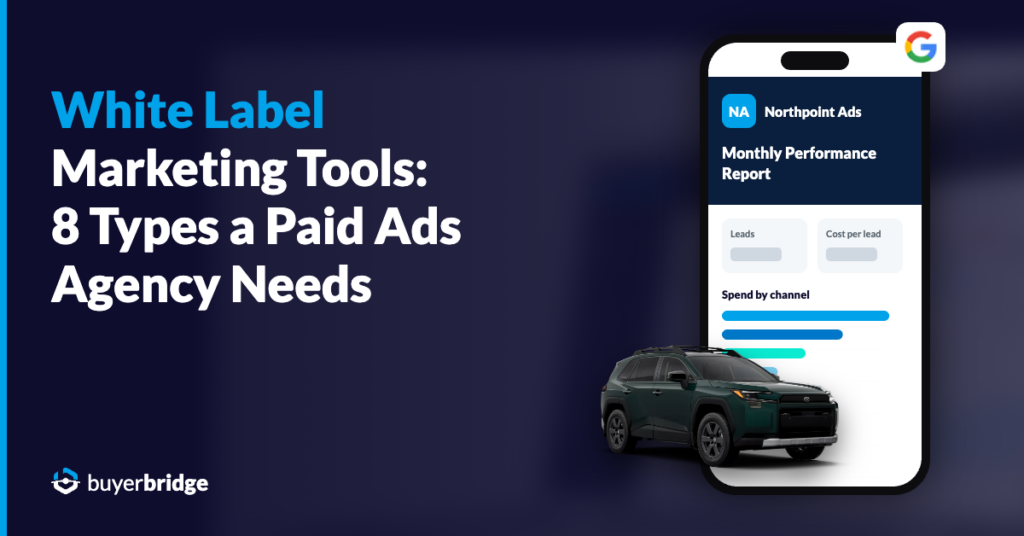
Your client opens their monthly report. The first thing they see is a software company’s logo. Then they start to wonder what they pay you for.
White label marketing tools fix that. They let you run your dashboard, client reports and pitch materials under your agency’s name, so the client sees your work as yours. This list covers the 8 types a paid ads agency needs, what to look for in each one, and where BuyerBridge fits.
Some of these tools touch the client every week. Others never leave your team. Put your brand on the ones clients see first.
Key Takeaways
- White label marketing tools are software you run under your own agency brand, so clients see your logo on dashboards, reports and pitch materials.
- The client report and the client login get seen the most, so brand those first.
- A white label reporting tool should pull from every ad channel a client runs and fill in each report without manual exports.
- A branded prospecting report lets you answer “how much should I spend?” before the first meeting.
- Budget pacing and alerts don’t need your logo, but they need to feed clean numbers into the reports that carry it.
- BuyerBridge covers the paid ads part: a branded dashboard, client reports and MarketAnalyzer prospecting reports across Meta, Google, TikTok, Snapchat, Pinterest and Reddit, available on the Plus and Elite plans.
On this page
- What are white label marketing tools?
- Why paid ads agencies put their name on the tools
- 1. An ad management dashboard your team works in daily
- 2. A white label reporting tool for client reports
- 3. Prospecting reports you hand over before the pitch
- 4. A client portal with logins that don’t cost per seat
- 5. Ad preview links for client approvals
- 6. Budget pacing and alerts behind the scenes
- 7 and 8. CRM, proposals, organic social and email
- White label marketing tools compared: what BuyerBridge covers
- Questions to ask before you pick a white label marketing platform
- FAQ
What are white label marketing tools?
White label marketing tools are software products an agency rebrands as its own. Your logo, colors and web address replace the software company’s. The client logs in, opens a report or reads a market study, and sees your agency.
In agency work, that means you get the software without building it. Somebody else writes the code and keeps up with every ad platform change. You put your name on the front.
You’ll hear the term used two ways:
- A white label marketing platform: one system your team works in every day and your clients can log in to, branded as yours
- Single-purpose tools: a branded report, a branded prospecting report or a branded client portal, each bought on its own
Neither is wrong. Single tools let you fill one gap at a time, which is fine when you have three clients. A platform cuts down on logins and copy-paste once you have ten or twenty.
For a paid ads agency, the platform usually wins once you pass a handful of clients. Every extra tool is one more place your data has to travel, and one more place a number can come out wrong in front of a client.

Why paid ads agencies put their name on the tools
Clients judge your agency by what they can see. They don’t see the hours your team spends inside six ad platforms. They see the report, the login screen and the pitch.
If those carry another company’s logo, two things happen. The client starts asking why they need a middleman. And the next agency that pitches them can name the same software and offer it for less.
Branding the tools keeps the client relationship with you. It also saves you from building your own software just to look established. Very few agencies can justify a developer team for a reporting screen.
There’s a practical side too. Every ad platform has its own way to manage many client accounts, and none of them talk to each other. Google’s manager account is a good example of how big those native views can get.
85,000
the maximum number of non-manager accounts a single Google Ads manager account can link to (Google Ads Help, “About account limits for manager accounts”)
That’s a lot of room on Google, though the same help page says a new manager account with no spend starts at 50 active accounts. Either way, it does nothing for your Meta, TikTok, Snapchat, Pinterest and Reddit clients. And it shows Google’s name, not yours.
A white label marketing platform sits above all of those native views. Your team gets one place to work, and your clients get one place to look, with your name on it.
1. An ad management dashboard your team works in daily
This is the tool your team opens every morning. Campaigns launch here, budgets change here and problems show up here. Clients may never open it, but if they do, it should look like yours.
What to look for:
- Every channel your clients run, connected in one place
- Campaign on and off toggles and inline budget edits, without opening each ad platform
- Alerts for broken pixels, budget issues and missing data
- Your logo, colors and a custom subdomain on the login screen
- No per-seat fees, so adding a media buyer doesn’t raise your bill
Watch out for dashboards that only read data. If your team still has to log in to every ad platform to make a change, you bought a reporting tool with a nicer homepage.
Where BuyerBridge fits: BuyerBridge runs paid ads on Meta, Google, TikTok, Snapchat, Pinterest and Reddit from one dashboard. Your team can turn campaigns on and off and edit budgets without leaving it. On the Plus and Elite plans, the dashboard carries your agency’s logo and colors on your own subdomain. Even the authenticator app your users sign in with shows your agency’s name.
One BuyerBridge partner described the change like this: “We went from spending 2 hours building campaigns to under 15 minutes.”

2. A white label reporting tool for client reports
This is the tool clients see most. A monthly report is often the only thing a client reads from you all month. It should look like yours and read like a person wrote it.
What to look for in a white label reporting tool:
- Data pulled straight from the ad accounts, with no CSV exports
- One template that adapts to the channels each client runs
- Your logo, colors and backgrounds set once, then applied to every report
- Scheduled sends and PDF export
- A plain-language summary of what happened and why it matters
Number 2 matters more than it sounds. If you need a separate template for every channel mix, you’ll end up maintaining a dozen versions. One client runs Meta and Google. Another runs all 6 channels. One template should handle both.
Where BuyerBridge fits: the BuyerBridge Report Builder works like a drag-and-drop page editor. You set colors, backgrounds and your logo once, then add widgets for each metric. Templates are channel-aware, so a client running Meta and Google gets those pages, and a client on all 6 channels gets every page, from the same template.
Reports include AI callouts written from each client’s numbers, plus scheduled sends, PDF export and a full-screen present mode. You can see how the whole reporting side works on the agency reporting and insights page.

3. Prospecting reports you hand over before the pitch
Most agencies brand what they deliver after a client signs. Fewer brand what they hand over before. That’s a missed chance to look bigger than you are.
A prospecting or market report answers the first question every prospect asks: how much should I spend? If it carries your logo, the prospect remembers your research. If it carries a free tool’s logo, they remember the free tool.
What to look for:
- Audience size by channel for the prospect’s area
- A suggested monthly budget per channel
- Estimated results the prospect can compare with what they get today
- Example ads, so the prospect can picture the campaign
- Your branding on every page
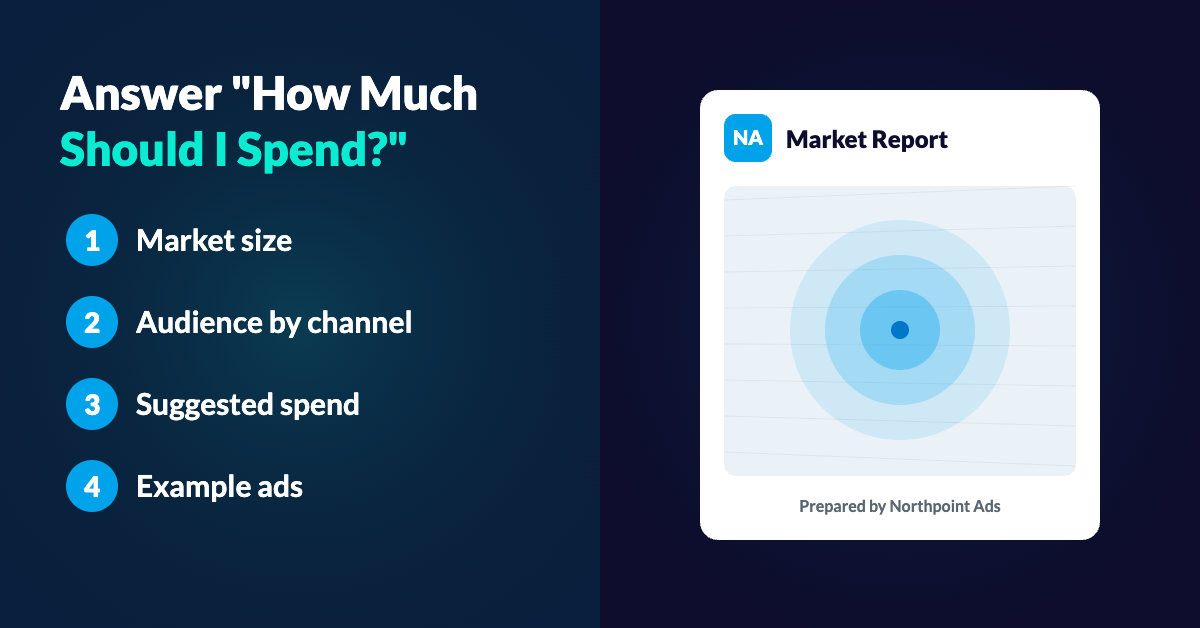
Where BuyerBridge fits: MarketAnalyzer builds a market opportunity report for any dealer or area. It shows market size by radius, audience size and suggested spend per channel, an inventory and competitor overview, and example ads for each channel. With white label turned on, the report carries your agency’s brand. Once you win the client, you launch them from the same dashboard.
One honest note. MarketAnalyzer’s result estimates are built on automotive averages, so it fits dealer prospects best. If most of your prospects sell something other than cars, use it for audience sizing and budget ranges, and lean on your own numbers for the rest.
Walking into a pitch with someone else's logo on your research makes your agency look smaller than it is.
BuyerBridge puts your brand on the market report, the dashboard and every client report, with paid ads on 6 channels running underneath.
4. A client portal with logins that don’t cost per seat
Some clients want to look for themselves. That’s a good sign. It means they care about the results, and it means they need a login that shows your brand and only their accounts.
What to look for:
- Client users who see only the accounts assigned to them
- Permission settings that keep clients from changing live campaigns by accident
- No per-seat fee for client logins
- The same branding as your reports, so everything matches
- A login page on the same subdomain your team uses
Per-seat pricing is the trap here. If every client login adds a monthly fee, you’ll start saying no when clients ask for access. The client who wanted to watch closely gets shut out, and that rarely helps a renewal.
Where BuyerBridge fits: you can add client users in BuyerBridge, and each one sees only the accounts assigned to them. There’s no per-seat charge for client logins or for your own team. On a white-labeled account, they sign in to a dashboard with your name on it.
If you manage one client with several locations, this matters even more. The owner wants to see everything. Each location manager wants to see their own store. Account-level access handles both without a second tool.

5. Ad preview links for client approvals
Approvals eat more time than most agencies admit. Screenshots get sent, cropped wrong, lost in a thread, then sent again.
This one is easy to skip when you shop for white label marketing tools, since it looks like a small feature. But it’s one of the few things a client touches before an ad goes live. A clean approval step makes your agency look organized right when the client is judging your creative.
What to look for:
- One link that shows the ad as it renders in each placement
- No platform access needed for the client to open it
- Links that don’t expire halfway through an approval
- Previews across every channel the campaign runs on
Where BuyerBridge fits: BuyerBridge preview links show how an ad renders on Meta, TikTok, Snapchat and Pinterest placements at the same time. Clients open them without platform access, and the links don’t expire. You send one URL instead of a folder of screenshots.
A quick test during any demo: ask the sales rep to send you a preview link, then open it on your phone without logging in. If that takes more than one tap, your clients will feel it too.
6. Budget pacing and alerts behind the scenes
Clients never see your pacing tool. They do see what happens when it fails: an overspent month, or a campaign that went quiet on the 12th that nobody caught until the report.
These tools don’t need your logo. They need to catch problems before the client does, and feed clean numbers into the reports that carry your name.
What to look for:
- Every client’s monthly goal and spend to date on one page
- Automatic daily adjustments toward the monthly goal
- A cap on daily changes, so big swings don’t push campaigns back into the learning phase
- A change log that shows who changed what
- Alerts for pixel errors, budget issues and missing data
Where BuyerBridge fits: the BuyerBridge Budgeting Tool shows every client’s monthly goal and spend to date across all 6 channels. Auto-pacing adjusts budgets once a day, and changes are capped at 20% a day, up or down. Color-coded alerts flag pixel errors, budget issues and missing inventory data, with a 1-click support ticket.
The Budgeting Tool is on every BuyerBridge plan, white label or not. Read more on the budget pacing software page.
7 and 8. CRM, proposals, organic social and email
Not every white label marketing tool belongs in your paid ads stack. Two more categories show up on most agency shopping lists, and BuyerBridge doesn’t cover either one.
Number 7 is your CRM and proposal tool. Your sales process lives here: leads, proposals, contracts and invoices. Look for branded proposal templates, e-signature and a client record you can tie to the account once it closes. Most agencies already own a CRM, and branding the proposal template is often enough.
Number 8 is organic social and email. That means post scheduling, content calendars and email sends. If your clients review posts before they go out, look for branded approval flows and a client-facing calendar.
BuyerBridge is a paid ads platform. It doesn’t post organic content, send email or manage Google Business Profile listings. Keep that work in the tools you already use, and keep the paid side in one place.
If one product promises all 8, ask to see its CRM and its report builder side by side in the demo. You’ll know within a few minutes which half the team spent its time on.
White label marketing tools compared: what BuyerBridge covers
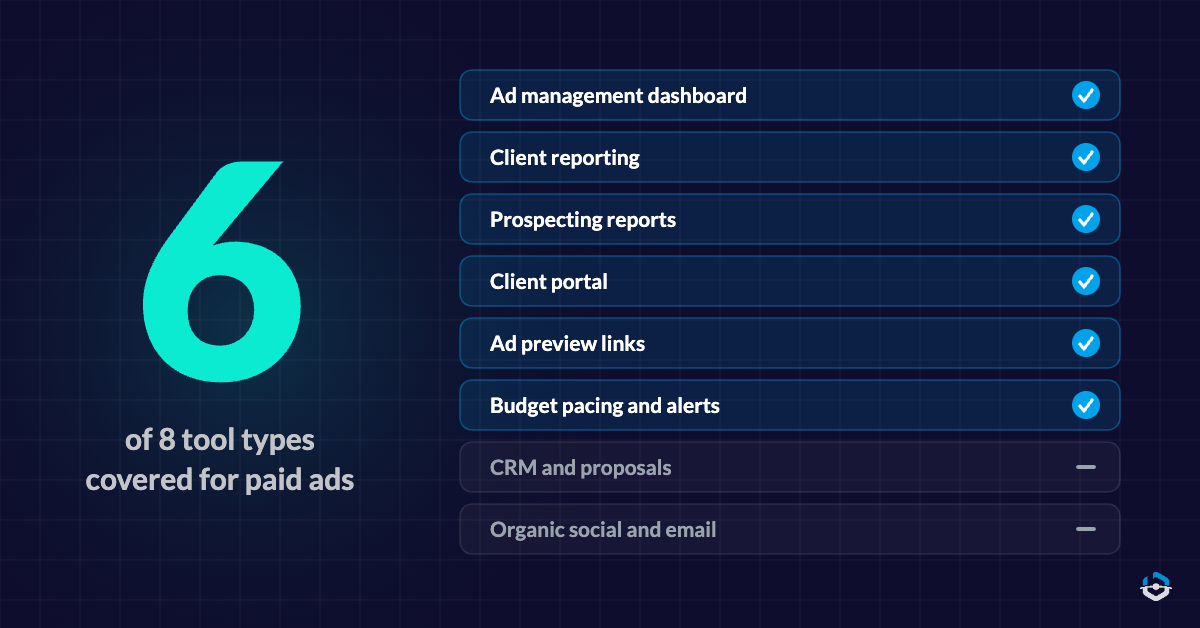
Here’s the full list in one place, with who sees each tool and whether BuyerBridge handles it.
| Tool type | Who sees it | Must-have feature | Covered by BuyerBridge? |
|---|---|---|---|
| Ad management dashboard | Your team, some clients | Edit campaigns and budgets on every channel from one screen | Yes, branded on Plus and Elite |
| Client reporting | Every client | Channel-aware templates and scheduled sends | Yes, Report Builder, branded on Plus and Elite |
| Prospecting reports | Prospects | Suggested spend per channel | Yes, MarketAnalyzer, branded on Plus and Elite |
| Client portal | Clients who want access | Account-level access with no seat fees | Yes, client users with no per-seat fees |
| Ad preview links | Clients approving ads | No login needed, no expiry | Yes |
| Budget pacing and alerts | Your team | Auto-pacing with a daily change cap | Yes, on every plan |
| CRM and proposals | Prospects | Branded proposals and e-signature | No |
| Organic social and email | Clients reviewing posts | Branded calendars and approvals | No |
The pattern is simple. BuyerBridge covers everything that touches paid ads and leaves the rest to the tools built for it. If you want one white-labeled paid ads platform that carries your brand across the dashboard, reports and prospecting, that’s the part it was built for.
The Core plan runs the same campaign management, Budgeting Tool and alerts without your branding. Pricing is a flat monthly platform fee plus fees per channel and per account, with no per-seat charges.
Questions to ask before you pick a white label marketing platform
Most white label marketing software for agencies looks alike in a demo. Everyone has a logo upload screen. These questions sort them out:
- Which parts carry my brand: the dashboard, the reports, the prospecting reports, the login screen, the sign-in app?
- Does it run on my own subdomain?
- Which ad channels connect today, and which are only on a roadmap?
- Can my team make changes in it, or only view data?
- How is it priced: per seat, per account or as a share of ad spend?
- How long does branding setup take once I send my files?
- What does it leave out, and where will that work live?
Pick the tools your clients see first, make sure they share one source of numbers, and put your name on them. If paid ads are the core of what you sell, start with the dashboard and the client report.
White label marketing tools FAQ
What are white label marketing tools?
White label marketing tools are software products an agency runs under its own brand. The agency’s logo, colors and web address replace the software company’s on dashboards, client reports and prospecting reports. Clients see the agency as the source of the tools. BuyerBridge offers white label for paid ads, covering its dashboard, client reports and MarketAnalyzer across Meta, Google, TikTok, Snapchat, Pinterest and Reddit.
What’s the difference between a white label reporting tool and a white label marketing platform?
A white label reporting tool only builds branded client reports from ad data. A white label marketing platform is where your team also launches campaigns, edits budgets and watches alerts, with reporting built in. BuyerBridge is a platform: the same dashboard that runs paid ads on 6 channels also builds branded client reports, so the numbers in the report match what your team sees.
Which white label tools should a paid ads agency set up first?
Start with the tools clients see most often: the monthly client report and the client login. Those shape how clients judge your agency every month. Next, brand your prospecting reports so new business starts under your name. In BuyerBridge, the Plus and Elite plans brand all three: the dashboard, client reports and MarketAnalyzer prospecting reports.
Can my clients log in to a white-labeled BuyerBridge dashboard?
Yes. You can add client users in BuyerBridge, and each one sees only the accounts assigned to them. There’s no per-seat charge for client logins or for your own team. On the Plus and Elite plans, the dashboard runs on your own subdomain with your logo and colors, and the authenticator app shows your agency’s name.
Does BuyerBridge white label work for agencies outside automotive?
Yes. Campaign management, budget pacing, alerts and branded reporting in BuyerBridge work for any agency running paid ads for many clients. Playbooks are automotive-only, and MarketAnalyzer’s result estimates use automotive averages. BuyerBridge can also run catalog ads from most feeds it can map, like rental listings or boats.
Does BuyerBridge include organic social or email tools?
No. BuyerBridge is a paid ads platform for Meta, Google, TikTok, Snapchat, Pinterest and Reddit. It doesn’t post organic content, send email or manage Google Business Profile listings. Most agencies keep those in the tools they already use and run the paid side, with their own branding, in BuyerBridge.