
Agency Client Management Software for Paid Ads
Keep every client account, team and ad channel organized in 1 platform.
Group accounts by client or team, give each teammate and client the right view, and see every account’s channels and status on 1 screen. New clients go live through a guided setup, and alerts tell you when something breaks before your client notices.
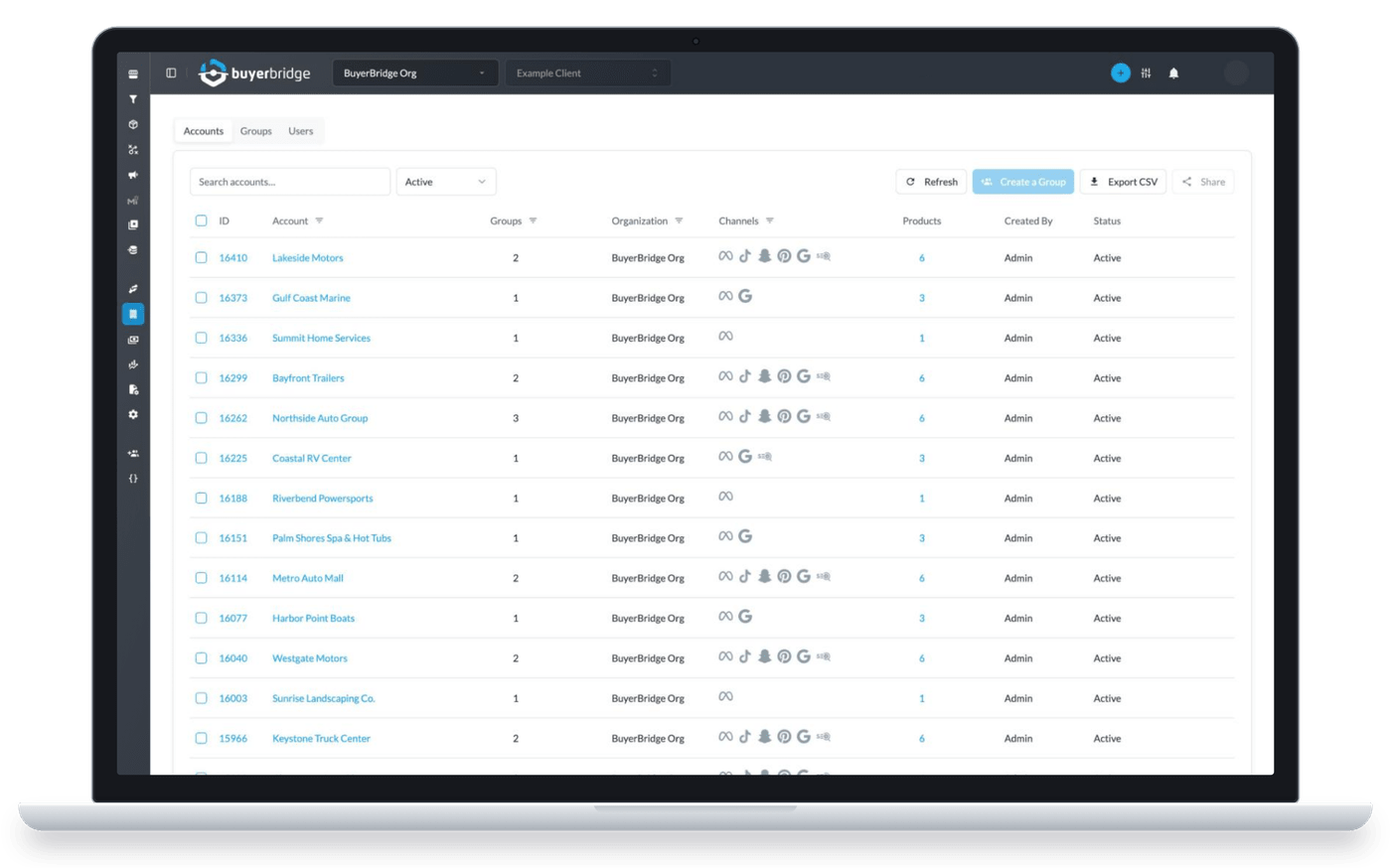
What Agency Client Management Software Does
It's where your agency sets up new clients and keeps tabs on their ad accounts after launch. It's the first stop in BuyerBridge's PPC management software for agencies.
More paid clients means more setups to get through.
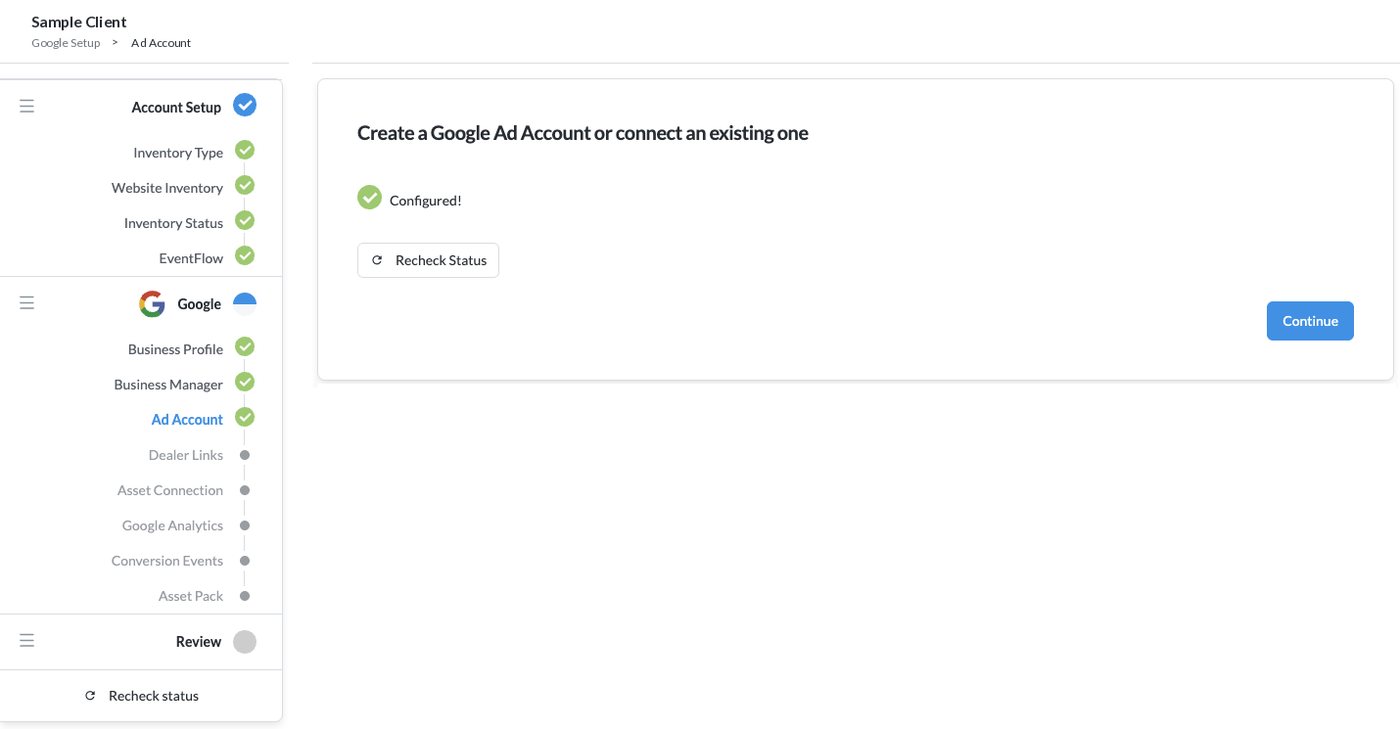
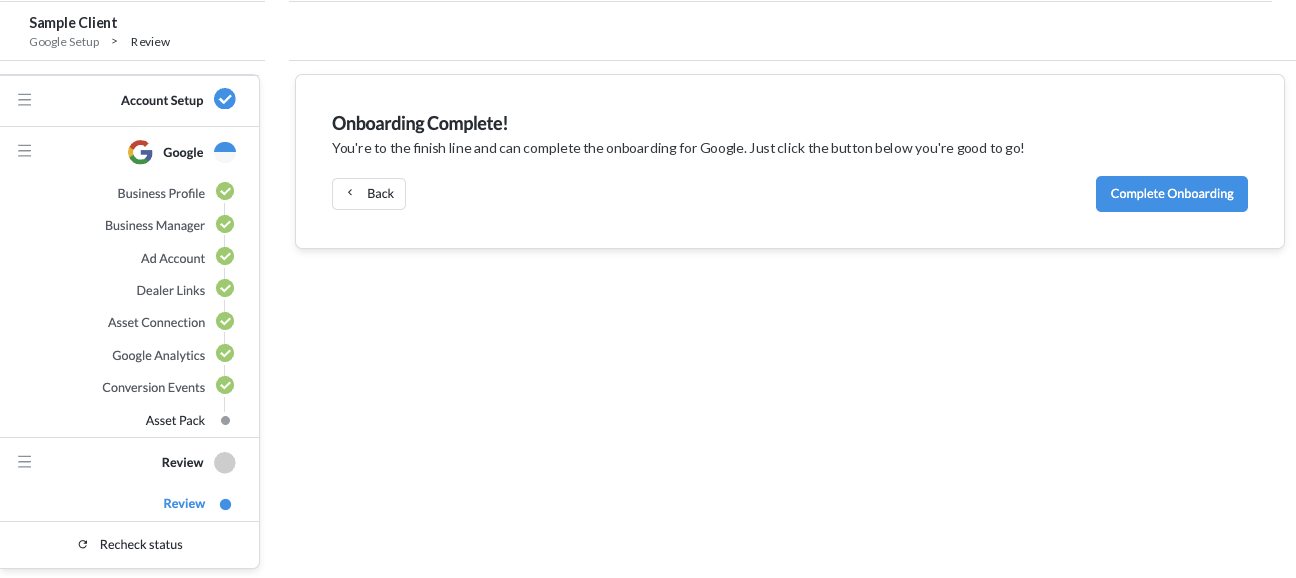
Agency Client Onboarding in 1 Guided Flow
Real BuyerBridge screens. Click a step or let it play.
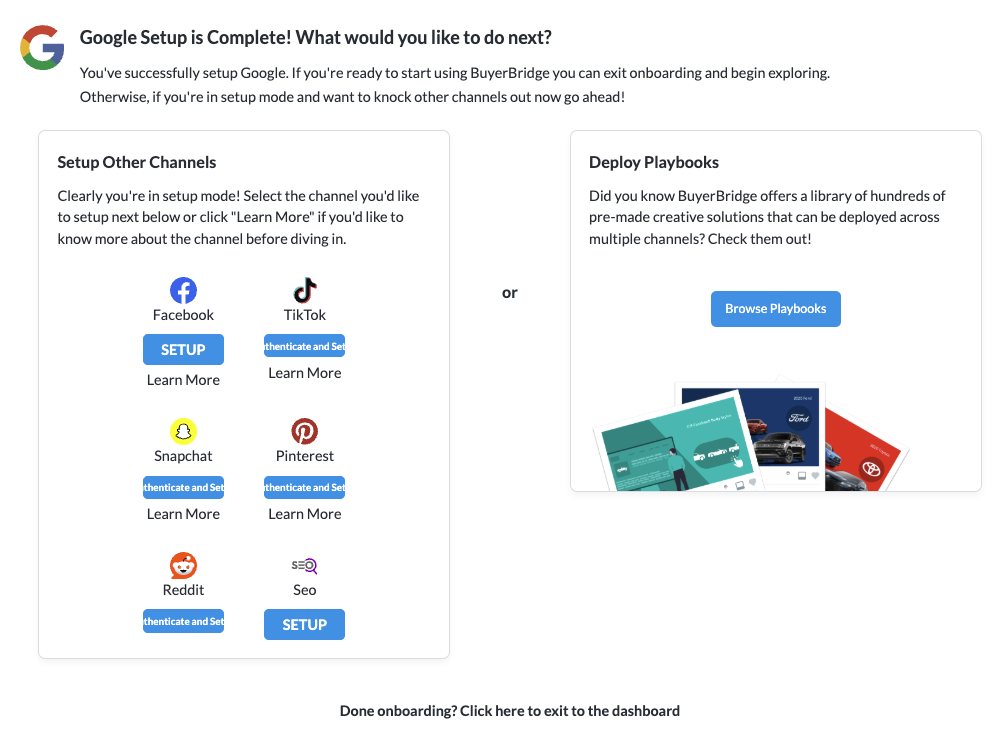
Connect Each Ad Channel Once for Your Whole Agency
Then run every channel from multichannel campaign management software and build ads once with the Ad Builder.
 RedditAlso available
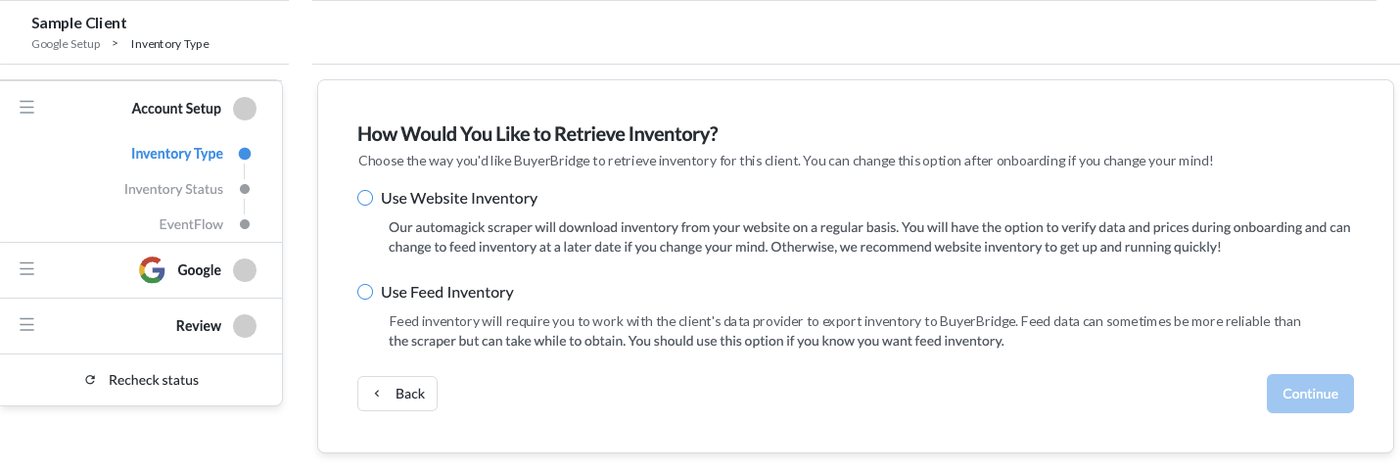
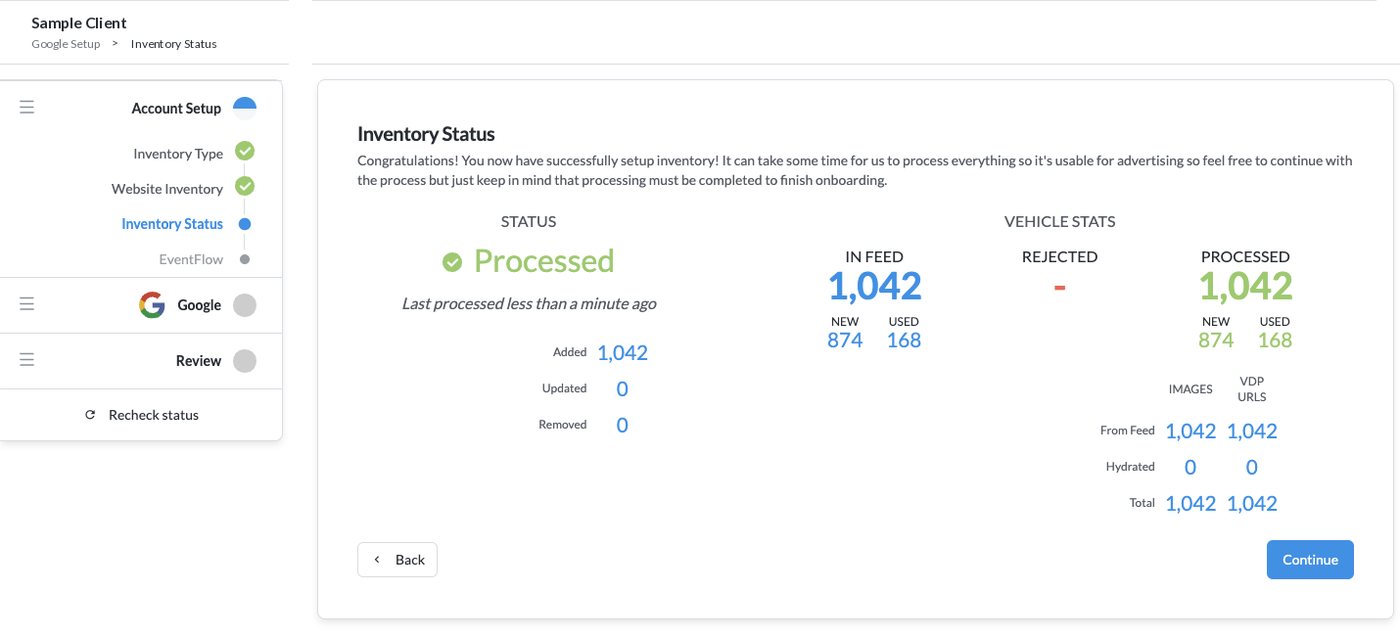
Inventory Feeds, Tracking and Lead Routing in the Same Flow
The setup that usually means back-and-forth emails with the client happens inside onboarding.
Dealership accounts? See vehicle feed management and Playbooks.
- Account Setup
- Inventory Type
- Inventory Status
- EventFlow
- Ad Account
- Asset Connection
- Conversion Events
- Review
- Review
Send the tracking code to the client's web team.
You're at the finish line for this client.
Catch Account Problems Before Your Client Does
BuyerBridge watches every client account and flags what breaks.
Open a support ticket from any alert in 1 click.
See Alerts in a Demo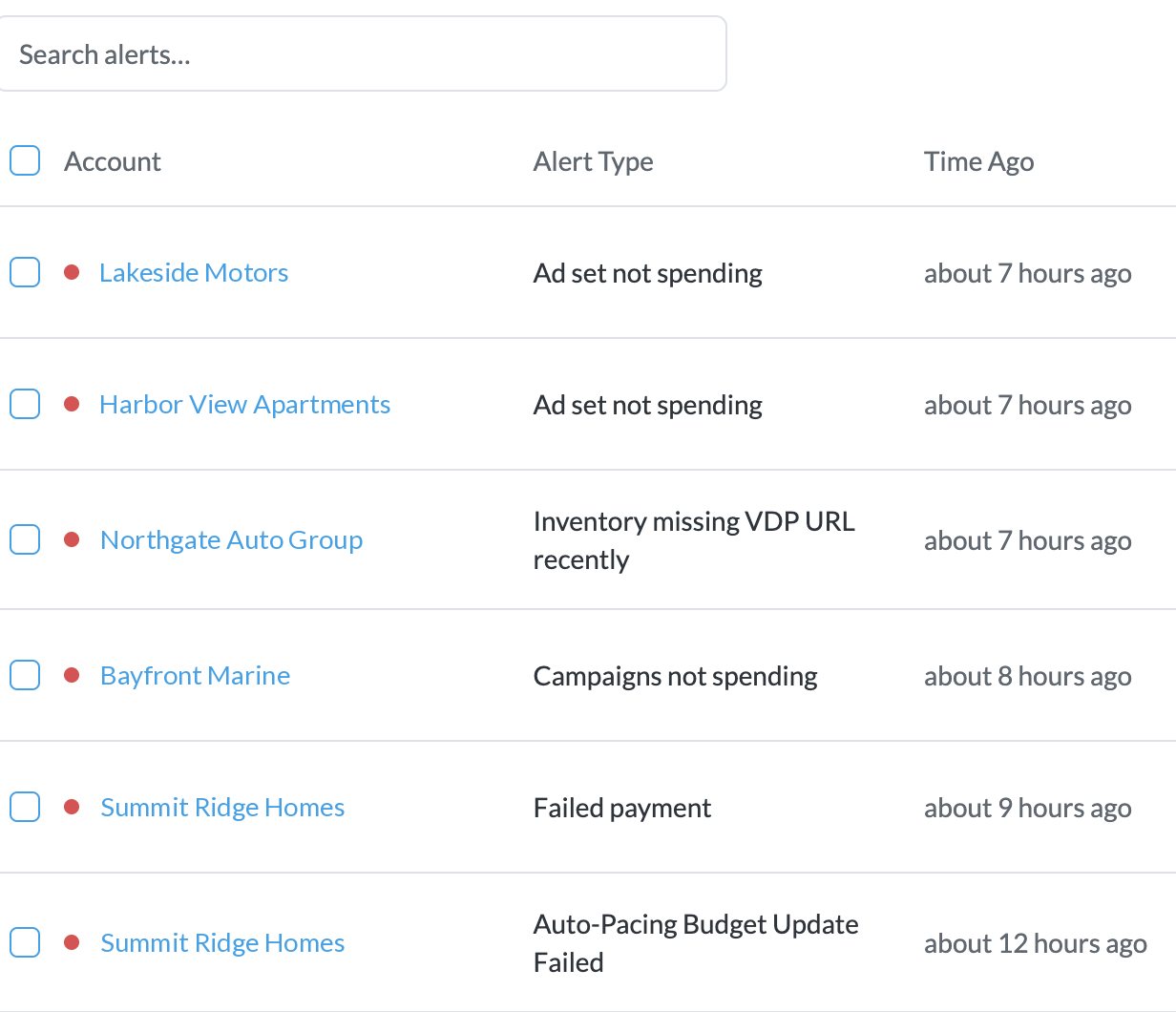
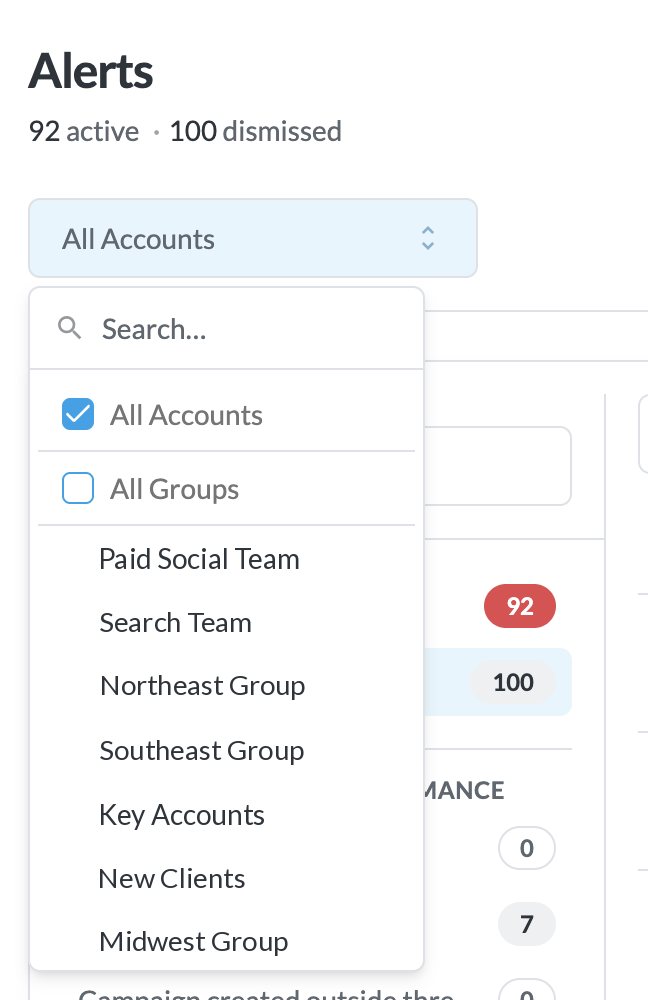
Give Every Teammate and Client the Right View
There are no per-seat charges, and you decide who sees which accounts.

Unlimited Users
Add your whole team. The bill stays the same.

User Groups
Account managers see only their clients.

Client Logins
Clients see only their own accounts.

Multi-Agency
Switch agencies with the agency picker.
Onboarding Help From a Real Team
New partners get up to 4 hours of training with our Onboarding and Partner Experience teams.
Scaling past a handful of accounts? Read how to scale a digital marketing agency.
Agency Client Management FAQ
What is agency client management software?
Agency client management software is where an agency sets up new clients, connects their ad accounts and checks how each account is doing. BuyerBridge covers onboarding, channel connections for Meta, Google, TikTok, Snapchat and Pinterest, account alerts and user access in 1 platform.
How does agency client onboarding work in BuyerBridge?
Add the client under Onboarding, pick the channels you want and follow the guided steps. You set up inventory, install EventFlow tracking, choose lead destinations and connect the channel’s ad account and assets. When every step checks off, click Complete Onboarding.
How long does it take to onboard a new client?
Most partners have their first client live within a week. Inventory feeds can take time to process, and you can keep working through the other steps while they do. New partners also get up to 4 hours of training with our Onboarding and Partner Experience teams.
Do I need to log in to each ad platform for every client?
No. Your agency sets up 1 Connection User per channel the first time it onboards that channel. BuyerBridge uses that connection to launch campaigns and pull results for every client on the channel.
Which ad channels can I connect?
Meta (Facebook and Instagram), Google, TikTok, Snapchat and Pinterest, with Reddit also available. Your team can onboard TikTok, Snapchat and Pinterest on its own.
Which inventory feed providers does BuyerBridge support?
BuyerBridge works with 90+ inventory feed providers, including vAuto, HomeNet and DealerTrack. If a provider isn’t listed, it can be added on request, on average within 10 business days. BuyerBridge can also read inventory from the client’s website.
Where do leads go after onboarding?
You choose a lead destination for each client during onboarding. Leads can go to the client’s CRM as ADF XML, plain text or a webhook.
Does BuyerBridge charge per user?
No. There are no per-seat charges. User groups let account managers see only the clients they manage, and client users see only the accounts assigned to them.
What happens when something breaks in a client account?
BuyerBridge sends color coded alerts for pixel errors, budget issues, missing inventory data and performance anomalies. You can open a support ticket from the alert in 1 click.
Walk Through Client Onboarding in a 30-Minute Demo
Book a 30-minute demo. We'll walk through onboarding and alerts using accounts like yours.
Book a Demo