
Agency Client Reporting Tools for Paid Ads
White-label client reports for Meta, Google, TikTok, Snapchat, Pinterest and Reddit. Your logo on the cover and AI callouts on the results. Set a schedule once and it sends itself.
Month-end reporting shouldn't mean 6 ad managers, 6 exports and a slide deck rebuilt by hand. Build 1 report template in the drag-and-drop Report Builder, brand it as your agency, and it fills in for every client and sends on a schedule.
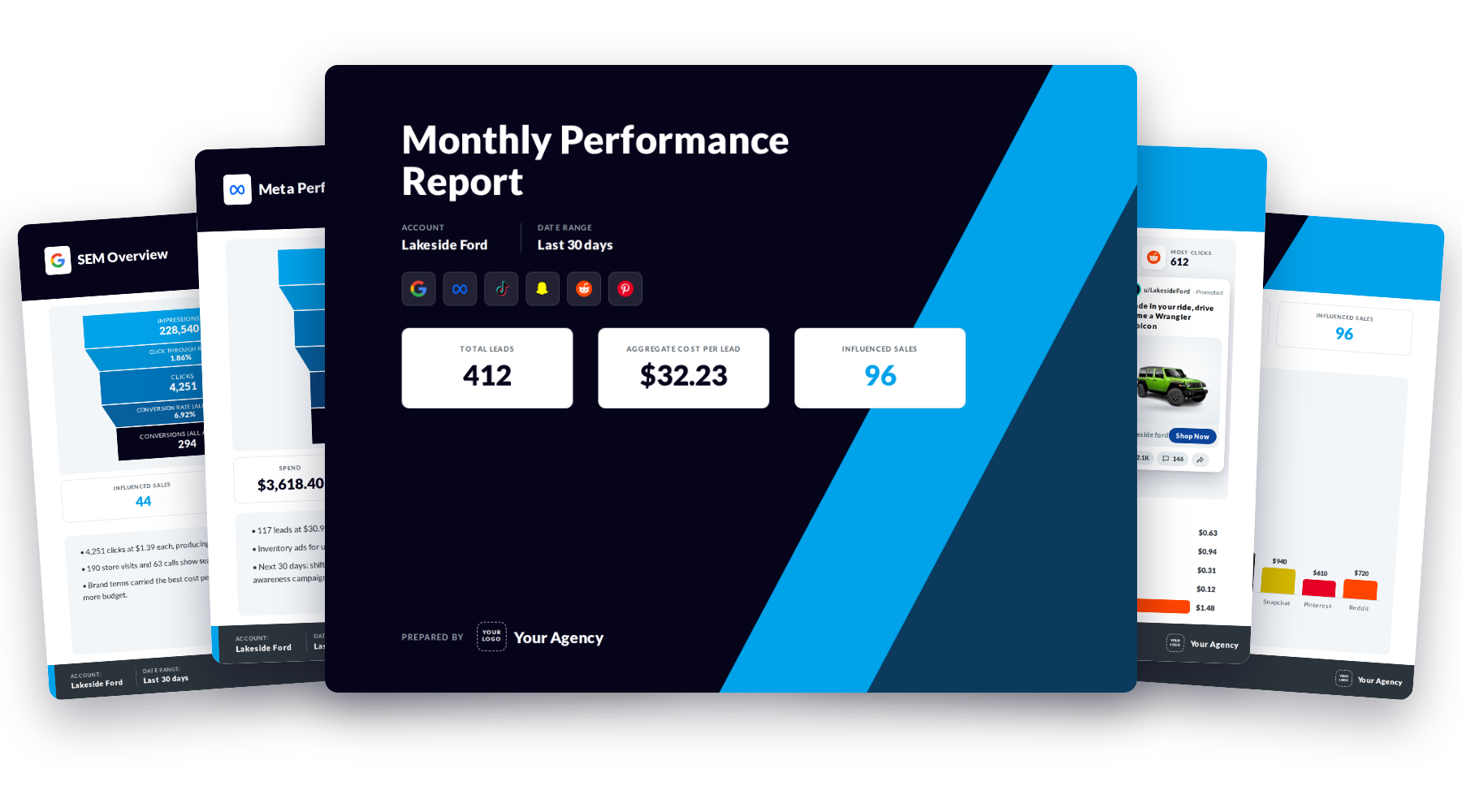
What Is Agency Reporting Software?
Agency reporting software pulls ad results from every platform a client runs on and turns them into 1 report the client can read. Good reporting software also carries your agency's name, so the client sees your work and not the tool behind it.
BuyerBridge builds the report from the same ad accounts you already manage in it. No CSV exports. No copying numbers between tabs on the 1st of the month.
Your logo and colors on every page. Clients never see BuyerBridge.
Meta, Google, TikTok, Snapchat, Pinterest and Reddit side by side.
Plain-language callouts written from each client's numbers, so the report explains itself.
Set a schedule once and the report goes out without a reminder.
What Does a White-Label Client Report Look Like?
Flip through a sample built for a made-up dealer. Swap in your logo and it's your report.

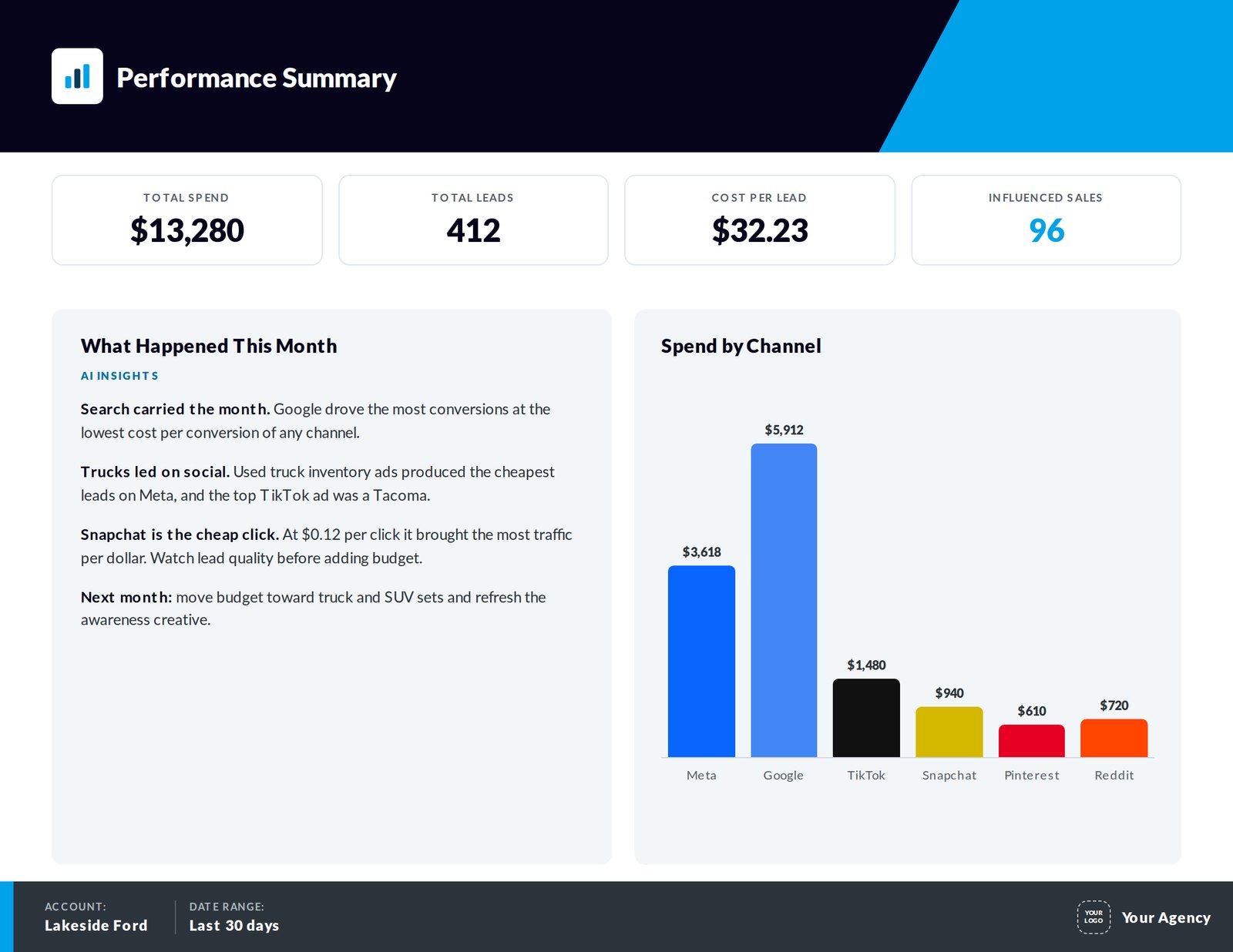
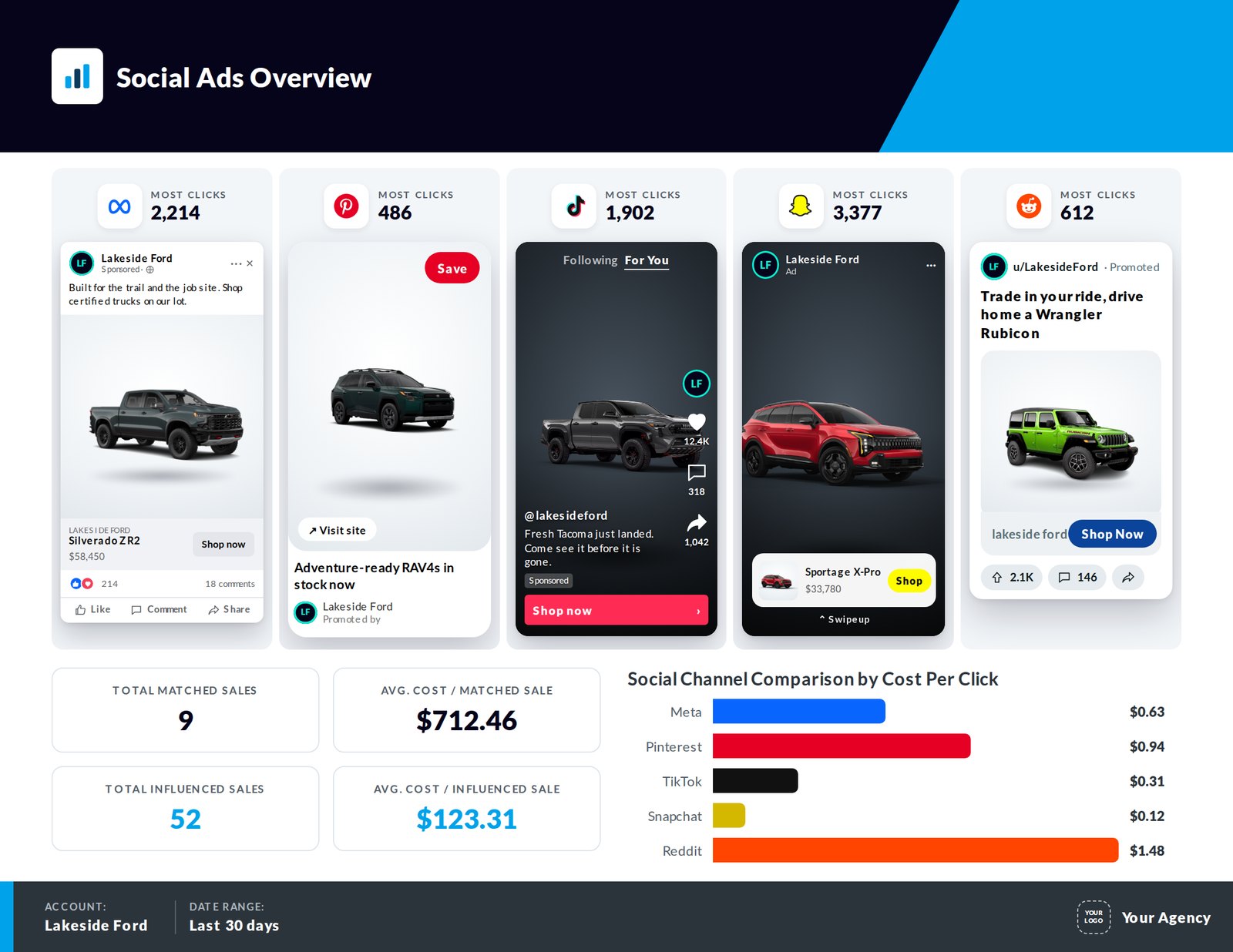
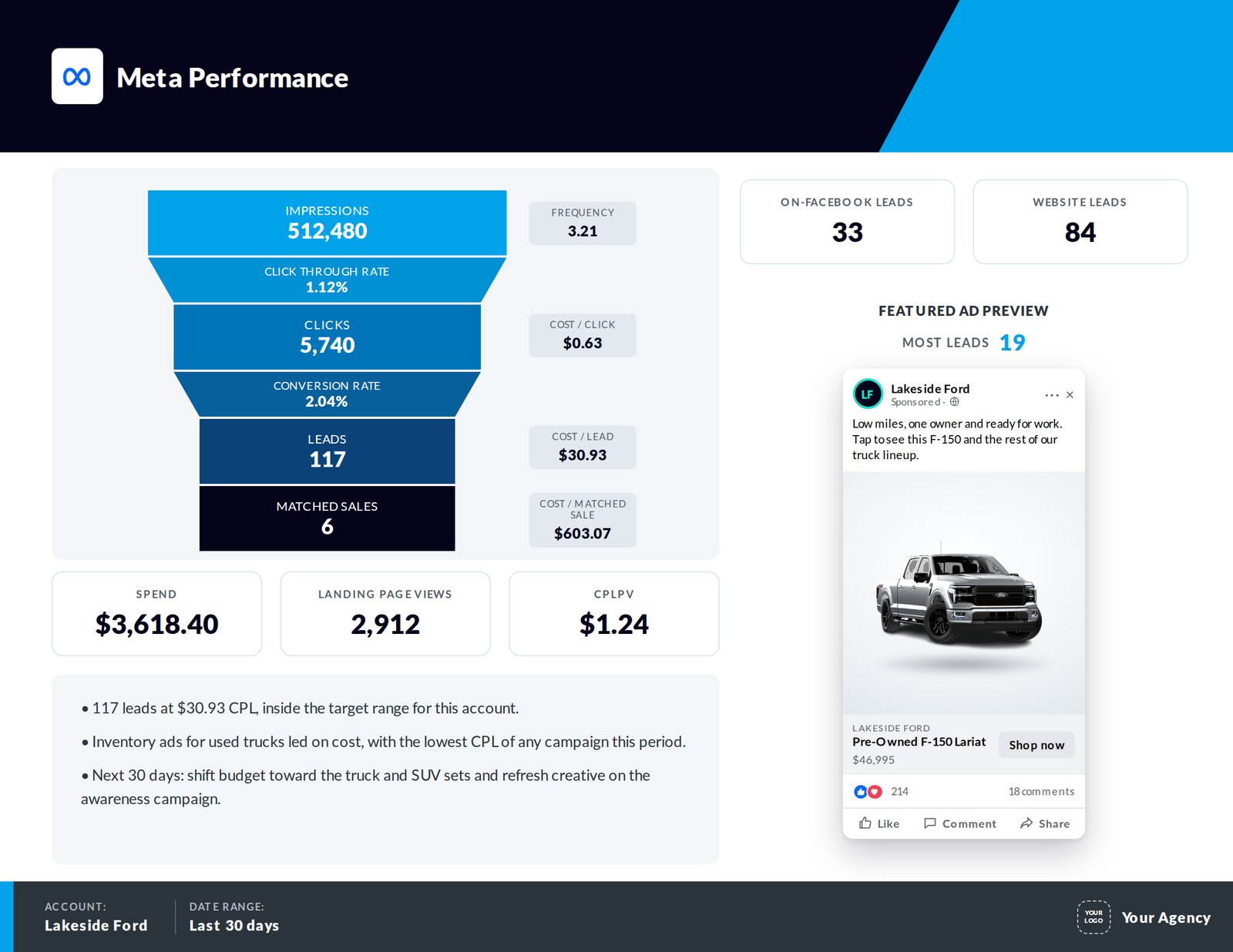
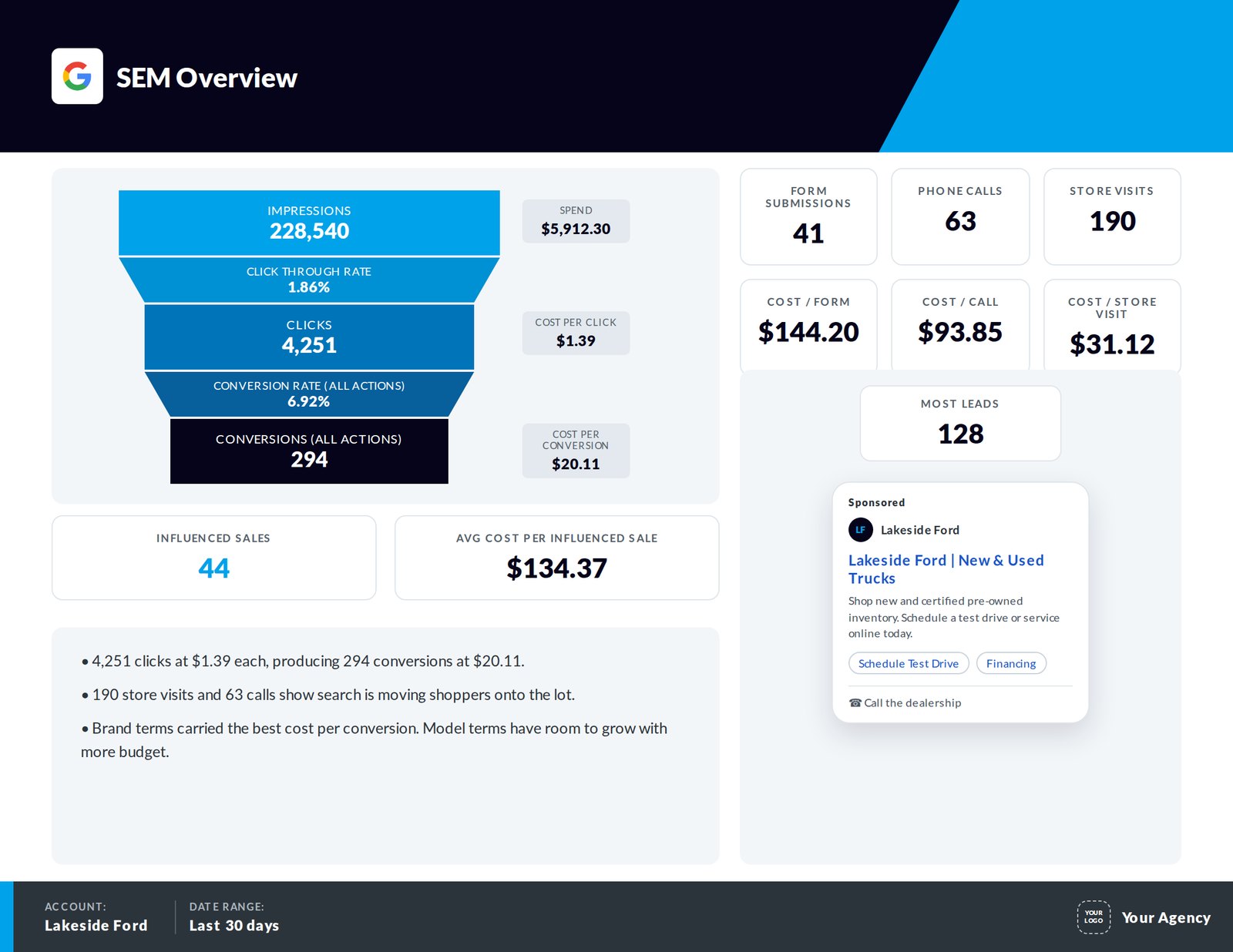
Sample report. Made-up dealer, illustrative numbers.
Can 1 Report Template Work for Every Client?
Yes. Reports in BuyerBridge are channel-aware. Build 1 template with every channel in it, and each client's report keeps only the channels that client runs.
- Pages for a channel the client doesn't run are dropped
- Charts that blend channels drop the missing one and still make sense
- No separate template to maintain per client
Gets the cover, summary, Meta and Google pages.
Gets every page in the template.
Gets the social pages it runs. Search pages drop out.
Edit it once and every client's next report changes with it.
What Widgets Can You Put in a Client Report?
Each widget pulls from any connected channel, or from a total across all of them.
Billboards
1 big number with a label for the KPIs a client asks about first, like leads and cost per lead.
Funnels
Impressions to clicks to leads, with side metrics like cost per click next to each step.
Charts and tables
Line, bar and donut charts for trends and splits. Sortable tables for campaigns and vehicles.
Ad previews
Show the top ad the way the client saw it, so nobody sends preview links by hand.
AI callouts
The AI Insights widget writes callouts from the report's data. Pick the pages it reads, the prompt and the length.
Custom metrics
Build blended KPIs, like 1 cost per lead across every channel, and reuse them in any widget.
Which Starter Template Should You Use?
Duplicate 1 of 4 starter templates, then make it yours. The Metrics versions leave out spend for agencies that don't share raw media costs.
How Do You Build a Client Report in BuyerBridge?
Set it up once per client. After that, it runs on its own.
Can Client Reports Send on a Schedule?
Yes. Schedule a report once by client or group and the PDF goes out on time every period, AI callouts included. On a client call, present the same report live.
- Pick the frequency, send time and recipients for each schedule
- Generate 1 PDF, or 1 for every account at once
- Present mode opens full screen with animated charts
- Every generated report waits in My Reports to download again
Full-screen and built for client calls.
A leave-behind for the client's files.
Set the frequency once.
Generate every client's report in 1 run.
What Reporting Does Your Team See Before the Client Does?
The client report is the last step. Before it goes out, your team works from live dashboards across every account, so problems get fixed before anyone has to explain them.
- A dashboard for each channel, with period comparisons
- Alerts for pixel errors, budget issues and missing inventory data
- Budget pacing for every account, on 1 page
- Vehicle-level results by VIN, make and model, with CSV export
Impressions, clicks, leads and cost per lead next to last period.
Open a support ticket from the alert in 1 click.
Spend against the monthly goal, for every client account.
See which vehicles your ads moved on every channel.
Agency Reporting Software vs Manual Reports: What Changes?
A manual report works for 3 clients. It stops working somewhere around 30.
Agency Reporting Software FAQ
What is agency reporting software?
Agency reporting software pulls ad results from every platform a client runs on and turns them into 1 report the client can read. BuyerBridge builds that report from the ad accounts you already manage in it, across Meta, Google, TikTok, Snapchat, Pinterest and Reddit.
What is white-label reporting?
White-label reporting means the client report carries your agency’s branding instead of the software company’s. In the BuyerBridge Report Builder you set the colors, backgrounds and images, including your logo, on every page. The dashboard and MarketAnalyzer can carry your brand too.
Which ad channels can go in 1 report?
Meta, Google, TikTok, Snapchat, Pinterest and Reddit, plus totals that combine them. A single page can show several channels side by side.
Do I need a separate report for each client?
No. Reports are channel-aware. Build 1 template with every channel, and each client’s report drops the pages and data for channels that client doesn’t run.
Can I hide ad spend from clients?
Yes. The Metrics starter templates leave out spend and cost-per metrics like cost per lead and cost per click. They’re built for agencies that bill on a percentage of media spend and don’t share raw spend.
What are AI callouts in a client report?
AI callouts are plain-language takeaways written from the report’s data by the AI Insights widget. You choose which pages it reads, how long the summary is and the prompt it follows, and the callouts update with the numbers every time the report runs.
Can client reports send on a schedule?
Yes. Schedule a report by client or group, choose how often it sends, the send time and who receives it. Scheduled reports include the AI callouts, written from that period’s numbers. You can also generate a PDF for every account at once.
Can I walk a client through the report live?
Yes. Present mode opens the report full screen with animated charts and page navigation, built for client calls.
Which BuyerBridge plans include client reports?
White-label client reports are included on the Plus and Elite partner tiers.
What should a white label reporting tool include?
A white label reporting tool should put your agency’s logo and colors on every page, pull results from every ad channel a client runs, and send on a schedule. BuyerBridge is client reporting software that does all 3 across Meta, Google, TikTok, Snapchat, Pinterest and Reddit, and adds AI callouts that explain the numbers.
What are client reporting tools?
Client reporting tools pull ad results from every platform a client runs on and turn them into one report the client can read. In BuyerBridge, you build the report once with the Report Builder, put your agency’s logo on it and schedule it to send on its own. Meta, Google, TikTok, Snapchat, Pinterest and Reddit land in the same PDF.
Send Reports Your Clients Actually Read
Book a 30-minute demo and we'll build a report for an account like yours, live.