
Website Lead Tracking for Dealerships
EventFlow tracks what shoppers do on a dealer's website and sends those events to every ad channel you run.
Vehicle page views down to the VIN, form fills, phone taps and chat conversations all become events your ads can use. One script in the site header, no pixels replaced.
EVENTFLOW EVENTS
SENT TO YOUR CHANNELS
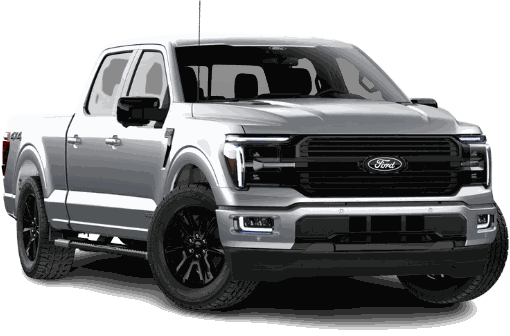 RETARGETING ADThe F-150 Lariat you viewedStill on the lot at Lakeside Ford
Animation. Made-up dealer and vehicle.
What Is Website Lead Tracking?
Website lead tracking records the actions a shopper takes on a dealer's site that signal they're ready to buy, then reports them as leads. A form fill, a tap on the phone number or a real chat conversation each counts.
EventFlow is BuyerBridge's website lead tracking. It runs on all site traffic, not only visitors from ads, and passes what it captures to the ad platforms so they can retarget and optimize on it.
Goes in the site header once. No per-channel tag work.
Works next to the pixels already on the site.
Incomplete or malformed events get dropped, not sent.
Events carry the vehicle the shopper looked at.
How Does EventFlow Work?
Shopper actions on the site become events. EventFlow checks each one, then sends the good ones to every connected channel and to GA4.
What Does EventFlow Track on a Dealer Website?
More than 100 data points, rolled up into the events that show a shopper is serious.
Every VDP view, down to the VIN, plus the search pages shoppers browse.
How long a shopper spends on a vehicle and how far into the photo gallery they go.
Any form submitted with a phone number or email address.
Taps on the phone numbers and email addresses found on each page.
Real engagement in chat, trade value and financing widgets, including Matador and Gubagoo inline chat.
Shoppers asking how to get to the dealership.
What Are Off-Facebook Leads?
On-Facebook leads come from lead forms inside Meta. Off-Facebook leads, also called website leads, happen on the dealer's site. EventFlow fires a Lead event when it sees one, so Meta can count it and optimize toward it.
Widget leads show a highly engaged shopper. They won't always match a contact in the CRM, since EventFlow reads the browser rather than the widget provider's system.
Why Does EventFlow Matter for Meta Ads?
Meta no longer lets you build custom audiences inside its own tools. EventFlow keeps vehicle-level audiences working through the API, so a shopper who viewed one specific truck can still see that truck in their feed.
- Retarget shoppers by the exact vehicle they viewed
- Build audiences from vehicle page views and lead events
- Optimize campaigns toward the events that matter
- More behavior data behind sales matchback reporting
Vehicle-level retargeting stops working.
The truck they viewed comes back in their feed.
Less behavior data behind each sales match.
Website leads counted next to on-Facebook leads.
Does EventFlow Work With Google Analytics 4?
Yes. BuyerBridge connects to the GA4 property the dealership already owns and sends the standard events you pick during onboarding. It doesn't create a new Google Analytics account.
- Connect with a login that has admin access to the property
- Choose which standard events to send
- Expect events within 24 to 48 hours
No GA4 property yet? The dealership creates one first.
Pick the standard events to send during channel onboarding.
An empty report on day 1 is normal.
GA4 and Meta count and attribute differently. Use each for what it measures.
How Do You Know EventFlow Is Running?
A 2-minute check on the dealer's live site.
Pixels Alone vs Pixels With EventFlow
Ad platform pixels track page loads. EventFlow adds the custom events they can't track on their own.
EventFlow and Website Lead Tracking FAQ
What is website lead tracking?
Website lead tracking records actions on a dealer’s website that show a shopper is ready to buy, like form submissions, taps on a phone number or email, and real chat conversations, and reports them as leads. EventFlow is BuyerBridge’s website lead tracking.
What is BuyerBridge EventFlow?
EventFlow is 1 piece of tracking code in a dealership website’s header. It tracks shopper behavior across all site traffic, checks each event, and sends qualified events to the dealer’s ad channels and Google Analytics 4.
Does EventFlow replace the dealership's pixels?
No. EventFlow works next to the pixels already on the site. It adds the custom event tracking those pixels can’t do on their own.
What are off-Facebook leads?
Off-Facebook leads, also called website leads, are leads captured on the dealer’s website instead of in a Meta lead form. EventFlow fires a Lead event for form submissions with a phone or email, phone and email clicks, and focused engagement in chat, trade value and financing widgets.
Which platforms does EventFlow send events to?
Meta, Google, TikTok, Snapchat and Pinterest, plus the dealership’s Google Analytics 4 property.
Does EventFlow work with Google Analytics 4?
Yes. BuyerBridge connects to the GA4 property the dealership already owns. It doesn’t create a Google Analytics account. During onboarding you authenticate with an account that has admin access and choose which standard events to send.
Which chat widgets does EventFlow track?
EventFlow tracks engagement in supported chat, trade value and financing widgets, including Matador and Gubagoo inline chat. To request another widget, email [email protected].
How long until EventFlow events show up?
Allow up to 48 hours. GA4 events can take 24 to 48 hours to appear, so an empty report on day 1 is expected.
Why don't Meta and GA4 lead numbers match?
They attribute and count conversions differently. Use each platform for what it measures instead of trying to reconcile the totals.
Count Every Website Lead Your Ads Drive
Book a 30-minute demo and we'll show EventFlow events on a live dealer account.