
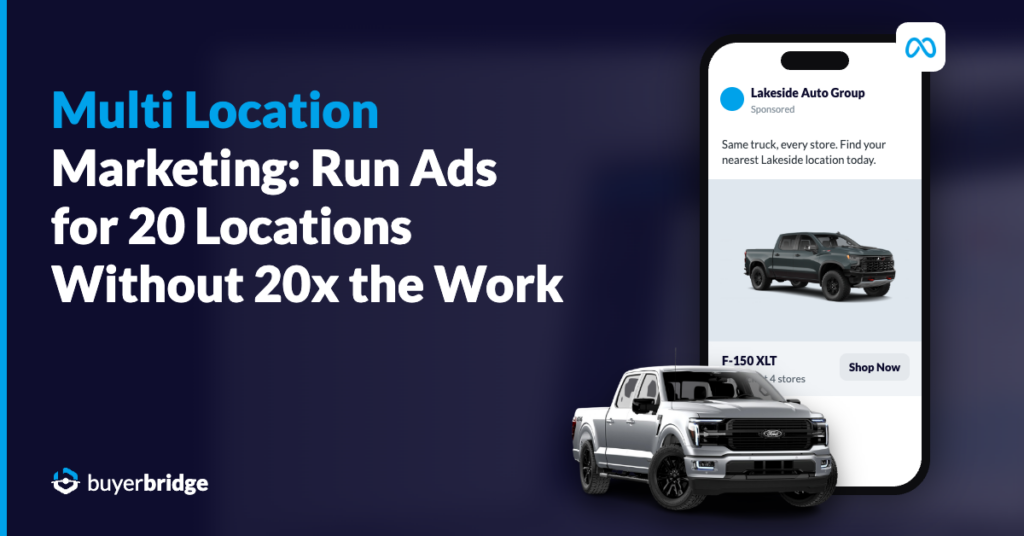
Multi location marketing has a tipping point. One location is a to-do list. Somewhere around location eight, the ad work turns into a second job.
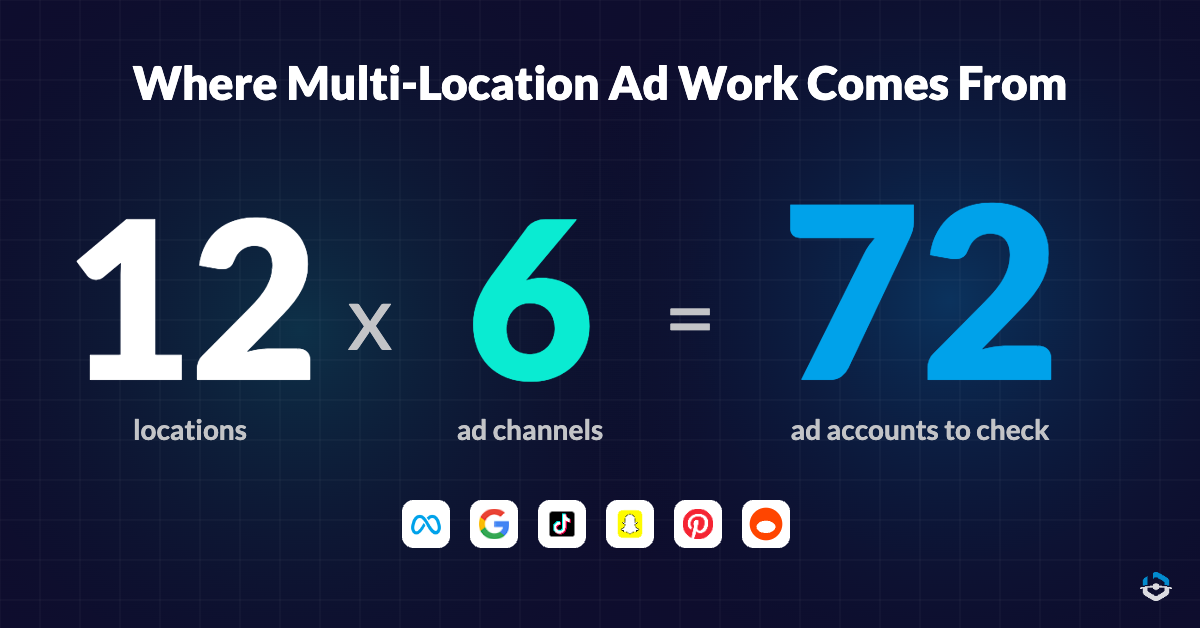
Every new store or client account brings its own ad accounts, its own monthly budget and its own pixel that can break overnight. Run Meta, Google, TikTok, Snapchat, Pinterest and Reddit for 12 locations and you have 72 ad accounts to check. Nobody checks 72 accounts well before lunch.
This guide is for agency operators running paid ads for lots of local clients, and for dealer group teams running ads for every rooftop. It walks through how to set up, launch, pace, watch and report on multi-location advertising so your workload stays flat while the location count climbs.
Key Takeaways
- Multi location marketing means one team running ads for many locations, while each location keeps its own ad accounts, budget and audience.
- The work grows with every location when each task happens one account and one platform at a time.
- A shared naming system and one connection per ad channel make location 20 as easy to add as location 2.
- Budget pacing is where multi-location advertising breaks first, and the platforms add drift: Google Ads can spend up to 2 times a campaign’s average daily budget on a single day.
- Alerts for broken pixels and feeds catch wasted spend the day it starts, instead of at month end.
- BuyerBridge runs paid ads for every location on Meta, Google, TikTok, Snapchat, Pinterest and Reddit from one dashboard.
On this page
- What is multi location marketing?
- Why multi-location advertising gets harder with every location
- Set up once so location 20 takes the same work as location 2
- Launch one campaign to every location and channel
- Keep every location’s budget on pace from one page
- Give each person the right locations, and nothing extra
- Catch broken pixels and feeds before a location loses a week of leads
- Report on every location without rebuilding the report
- Native ad managers vs one dashboard for every location
- A multi location marketing strategy you can run every month
- FAQ
What is multi location marketing?
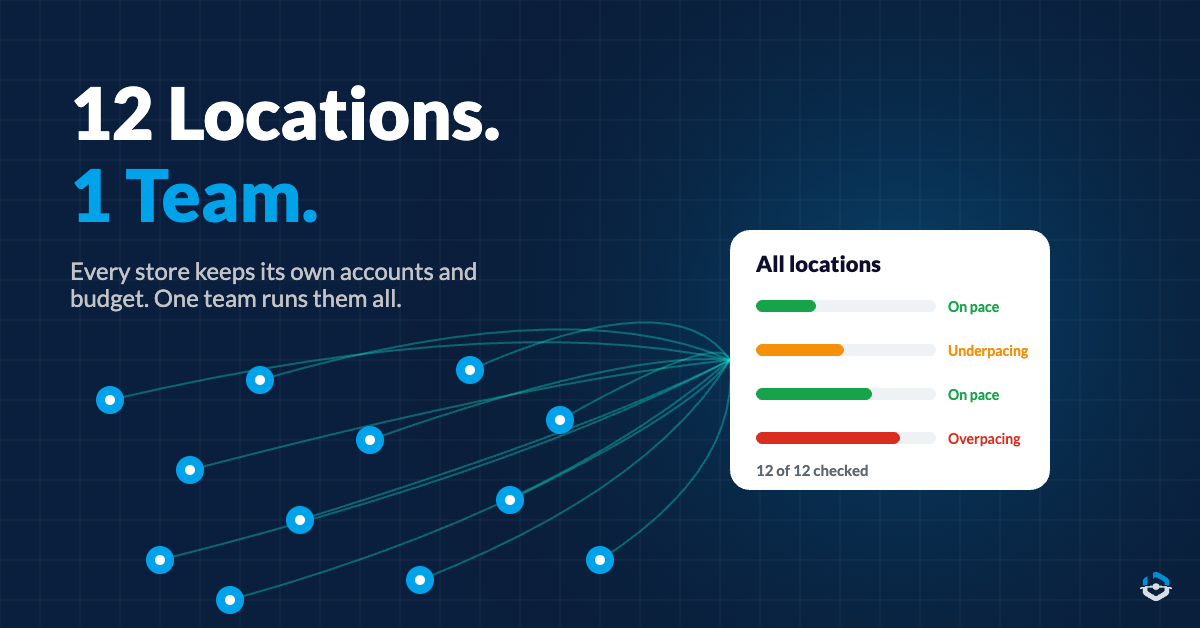
Multi location marketing is advertising for a business with many locations, run by one team. That could be a dealer group with 14 stores, a franchise brand with 60 units or an agency with 25 local clients. Each location has its own market and budget. One group of people runs all of it.
The hard part is the split. Every location needs local targeting, local offers and its own spend. Your team needs one process, one set of standards and one view of how it’s all going.
The term covers a lot: local SEO, listings, reviews, organic social, email. This post sticks to paid ads. That’s the part spending real money every day, and the part that goes sideways the quickest when nobody is watching.
Paid ads for many locations usually include:
- Local awareness and prospecting campaigns on social channels
- Search campaigns for brand, product and service terms in each market
- Inventory or catalog ads built from a product feed
- Retargeting for people who visited a location’s website
- Lead campaigns with forms routed to the right store or client
If you handle organic posting or Google Business Profile listings, keep those in the tools you use today. BuyerBridge is a paid ads platform and doesn’t touch them.
Why multi-location advertising gets harder with every location
Native ad managers are built around one account at a time. Meta Ads Manager shows one ad account per screen. Google’s manager account gives you one sign-in and cross-account reports for your Google Ads accounts, which helps. It does nothing for your Meta, TikTok or Snapchat accounts.
So the work multiplies. Every task you do once for a location, you do again for the next one, on every channel it runs.
Where the hours go:
- Logging into each platform, then switching accounts to see the next location
- Doing budget math by hand in the last week of the month
- Finding pixel and feed errors after the money is already spent
- Rebuilding the same report for every location
- Uploading the same logo and creative into every account, again
Each item is small on its own. Multiply it by 20 locations and 6 channels and it eats your week.
Problems also show up late. You usually find out a pixel broke when a store manager or client asks why leads dropped. The fix is to change which tasks happen per location and which happen once for everybody.
Set up once so location 20 takes the same work as location 2
Scale starts before the first campaign goes live. If every location gets set up a little differently, every task after that has to work around the differences.
Five setup rules worth locking in before location three:
- Pick one naming system for accounts, campaigns and ad sets. Location, channel, objective, date. Same order, every time.
- Connect each ad channel once for your whole organization, and have every new location use that connection.
- Decide which campaigns every location gets by default. A standard set beats 20 custom builds.
- Set up tracking the same way at every location, so a lead means the same thing in every report.
- Write down who owns each location, then give access by group instead of passing logins around.
In BuyerBridge, the channel connection happens once per organization. Facebook needs no setup steps outside the platform, and every agency can onboard TikTok, Snapchat and Pinterest on its own. After that, adding a location means connecting its ad accounts and picking its campaigns.
BuyerBridge has onboarded more than 16,000 accounts to date, and every new location follows the same steps as the last one.
Launch one campaign to every location and channel
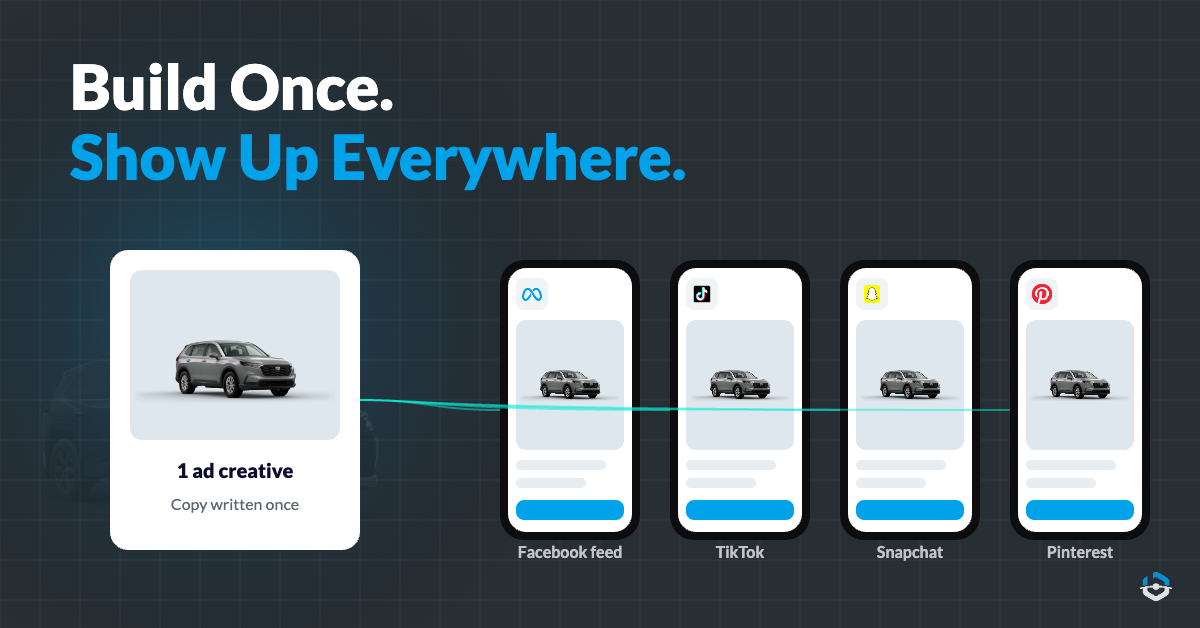
Multi-location digital advertising falls apart when every launch is a rebuild. The same ad gets built in Meta, then TikTok, then Snapchat, then Pinterest, for each location. That’s four builds per location for one idea.
The better pattern: build the ad once, format it for each placement and send it to every location that should run it. Then change only what has to be local, like budget, copy and map radius.
Here’s how that works in BuyerBridge:
- Upload creative once to the Ads Library and reuse it across every account
- The Ad Builder formats your creative for each placement and shows a live preview on Facebook, TikTok, Snapchat and Pinterest before you deploy
- Write the copy once, or change it per platform
- Send a preview link for approval, so a client or store manager can see the ad without platform access
Dealer groups and automotive agencies get one more shortcut. Playbooks are pre-built automotive campaigns that deploy to Meta, Google, TikTok, Snapchat and Pinterest from one wizard. Each location gets its own budget, ad copy and map in that same wizard.
Inventory ads pull vehicles, photos and prices straight from the feed, and BuyerBridge works with 90+ inventory feed providers. Playbook campaigns land in the off position, so your team can review them before anything spends.
One partner summed up the difference: “We went from spending 2 hours building campaigns to under 15 minutes.”
Keep every location’s budget on pace from one page
Budgets are where multi-location advertising breaks first. Twenty locations, six channels, a monthly goal for each. By week three, a few accounts are overspending, a few have stalled and somebody is living in a spreadsheet.
The platforms don’t spend evenly, either. Google says a campaign can spend up to two times its average daily budget on a given day, with a monthly limit of 30.4 times the average daily budget for most campaigns. For one campaign, that’s fine. Across 40 campaigns, it’s a lot of drift to track by hand.
2x
the most Google Ads will spend in one day for most campaigns, compared to the average daily budget (Google Ads Help, “About average daily budgets”)
The BuyerBridge Budgeting Tool puts every location’s monthly goal, spend to date, projected spend and daily budget on one page, for all six channels. It opens with the accounts that need attention first: underpacing, overpacing or not running, ranked by how much money is at stake.
Set a goal at the campaign level and auto-pacing adjusts the daily budget once a day to land on it. Changes are capped at 20% a day, up or down, so a campaign doesn’t get knocked back into the platform’s learning phase.
Need to move a lot of budgets at once? You can adjust daily budgets for many accounts in one window and spread the change proportionally or evenly.
The change log records every edit, who made it and when, including the automatic ones. The Budgeting Tool is part of every plan, Core included, and you can see more about budget pacing across every location.
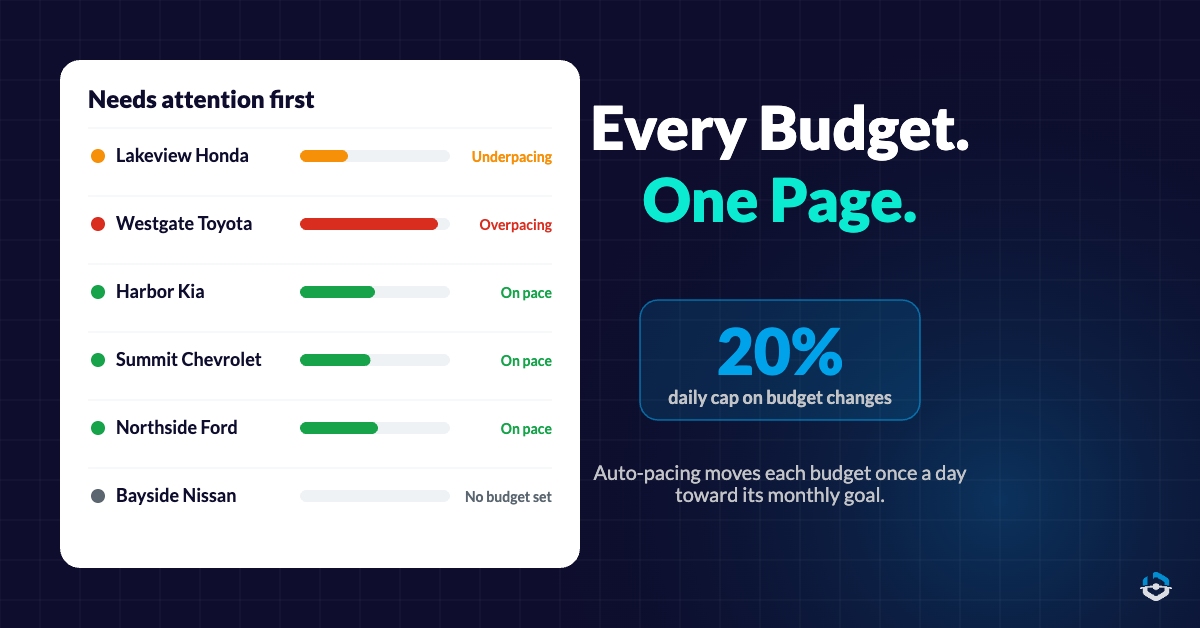
Still doing budget math for 20 locations in the last week of the month?
BuyerBridge shows every location’s pacing on one page and moves budgets toward the goal each day, capped at 20% so campaigns stay out of learning.
Give each person the right locations, and nothing extra
Shared logins cause more trouble in multi location marketing than they look like they should. Someone leaves, a password changes, and half the team is locked out of a store’s ad account on a Monday.
BuyerBridge has no per-seat fee, so you can add every person on your team. Then user groups and account access decide who sees what:
- An account manager sees only the locations assigned to them
- A client user sees only their own accounts
- Groups can follow brand, region, rep or strategy
- One person can belong to more than one agency and switch between them with the agency picker, which helps holding companies
For agencies, that means a new hire gets a login on day one with the right 8 clients in view. For dealer groups, a regional manager sees their stores and a store GM sees one store.
Catch broken pixels and feeds before a location loses a week of leads
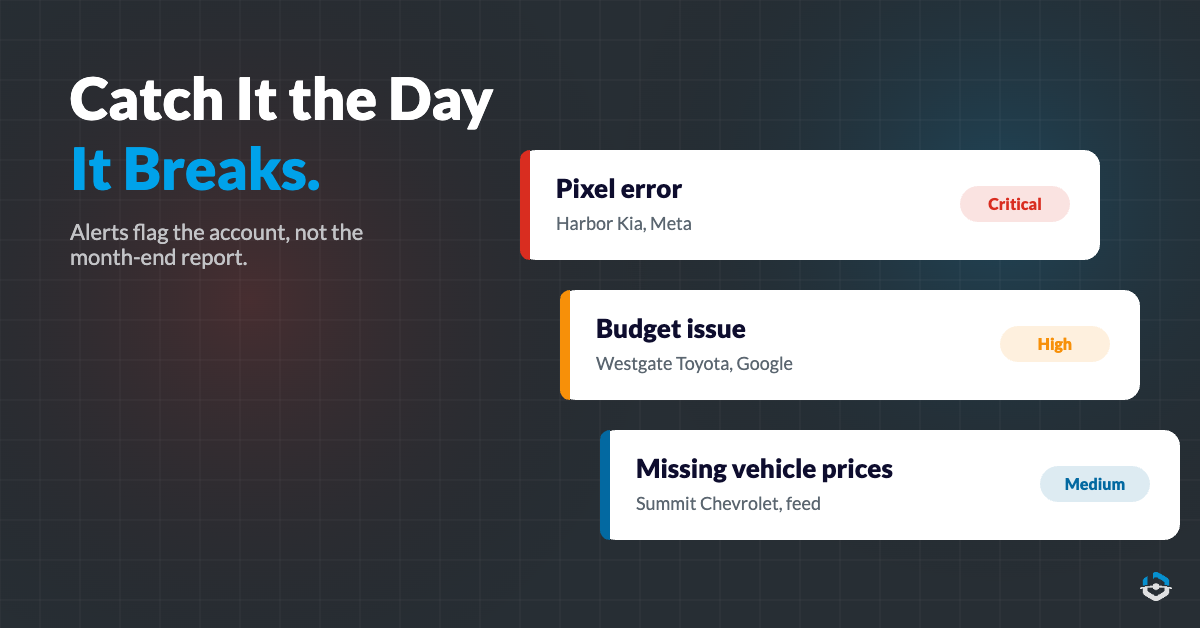
In multi-location advertising, the problems that cost the most are usually the quiet ones. A pixel stops firing. A feed sends vehicles with no price. A campaign runs out of budget on the 18th. Nothing announces it.
Alerts fix the timing. BuyerBridge watches every account and flags pixel errors, budget issues and missing inventory data as color-coded alerts in the dashboard. Each alert has a button to open a support ticket in one click.
Each channel also has its own dashboard with period comparisons. A drop at one location stands out against the others, instead of hiding inside a monthly total.
For automotive teams, the inventory report flags any vehicle missing a photo, price or link, so you can fix it before that vehicle gets left out of the catalog.
Report on every location without rebuilding the report
Reporting is the task that grows the most quietly. Twenty locations on three channels each can mean 60 exports a month before anyone writes a sentence of insight.
The goal is one report per location (or per client) that already includes every channel. BuyerBridge pulls Meta, Google, TikTok, Snapchat, Pinterest and Reddit into the same report, so a store running three channels gets one report instead of three.
A few ways teams use cross-channel reporting across locations:
- Build a template once in the widget-based Report Builder, then reuse it for every location
- Schedule reports to send on their own each month
- Compare locations side by side to see which markets need more budget
- On Plus and Elite plans, send white-label reports with your agency’s branding
Native ad managers vs one dashboard for every location
Native ad managers are good at depth inside their own channel, and they’re free. The trouble starts when one team runs many locations across several of them. Here’s what changes.
| Task | Native ad managers | One dashboard (BuyerBridge) |
|---|---|---|
| Seeing every location | 1 account per screen | Every account in 1 list |
| Channels | 1 platform per login | 6 platforms in 1 dashboard |
| Launching a campaign | Rebuilt per platform | Built once, deployed to each channel |
| Budgets | Checked account by account | Every location’s pacing on 1 page |
| Team access | Shared logins or per-platform invites | Unlimited users with user groups |
| Problems | Found when someone checks that account | Flagged as alerts per account |
| Reporting | Exported and rebuilt per location | 1 report across every channel |
If the left column looks like your week, take a look at how BuyerBridge runs paid ads for every location from one login.

A multi location marketing strategy you can run every month
A routine keeps 20 locations from drifting apart. This is a simple multi location marketing strategy for paid ads that one team can run every month:
- On day one, set each location’s monthly goal at the campaign level, so pacing has a target to work toward.
- Every morning, open the needs-attention list and fix the top few accounts. Most days that takes minutes.
- Every week, clear open alerts and compare locations against each other. Move budget from locations that can’t spend it to ones that can.
- Mid-month, swap in fresh creative from your library for any location where results are sliding.
- At month end, send one report per location or client and look over the change log for anything odd.
- Every quarter, review your default campaign set and decide whether to add a channel. Add channels one at a time.
This routine works for any business with 3 or more locations. BuyerBridge started in automotive, so dealer groups get extras like Playbooks and inventory ads.
Agencies outside automotive use the same campaign management, budget pacing, alerts and reporting, and BuyerBridge can run catalog ads from most feeds it can map, like rental listings, trailers or boats. It doesn’t run e-commerce product ads that need a store checkout.
Multi location marketing FAQ
What is multi location marketing?
Multi location marketing is advertising for a business with many locations, run by one central team. Each location keeps its own ad accounts, budget and local audience, while the team uses one process to launch, pace and report on all of them. BuyerBridge handles the paid ads side of this on Meta, Google, TikTok, Snapchat, Pinterest and Reddit from one dashboard.
How do you run multi-location advertising without adding staff?
Move every task you can from “once per location” to “once for everyone.” Connect each ad channel one time, build ads once and deploy them to many locations, pace budgets from one page and send one report per location that covers every channel. BuyerBridge has no per-seat fees, so your whole team works in the same place as the location count grows.
What is a good multi location marketing strategy for paid ads?
Start with a shared naming system and a default campaign set for every location. Set monthly goals at the campaign level, check a needs-attention list daily and clear alerts weekly. Refresh creative mid-month where results slide, and send one cross-channel report per location at month end. BuyerBridge supports each step from one dashboard.
Does BuyerBridge manage organic social or Google Business Profile listings?
No. BuyerBridge is a paid ads platform. It launches, manages and reports on paid campaigns across Meta, Google, TikTok, Snapchat, Pinterest and Reddit. Organic posting, review management and Google Business Profile listings stay in the tools you already use for them, and BuyerBridge covers the paid campaigns for every location.
Can BuyerBridge run ads for businesses outside automotive?
Yes. Campaign management, budget pacing, alerts and reporting work for any business with many locations. BuyerBridge can also run catalog ads from most feeds it can map, such as rental listings, trailers or boats. It does not run e-commerce product ads that need a store checkout, and Playbooks are the automotive-only part of the platform.
How is BuyerBridge priced for many locations?
BuyerBridge charges a flat monthly platform fee, plus fees per channel and per location. There are no per-seat charges, so adding account managers or client users costs nothing extra. The BuyerBridge team prices it during a demo, based on the number of locations and channels you run.
The work for location 20 should look a lot like the work for location 2. Set up once, launch once, pace from one page and let alerts do the watching. If you want the full picture of how that looks across every channel, see paid ads for every location from one login.