
Multi-Location Marketing Software for Agencies and Dealer Groups
Paid ads for every location, from 1 login. Meta, Google, TikTok, Snapchat, Pinterest and Reddit.
Twelve locations on 6 ad platforms is 72 places to check before lunch. Launch campaigns, pace budgets and catch broken pixels for every store or client account from 1 dashboard.
What Is Multi-Location Marketing Software?
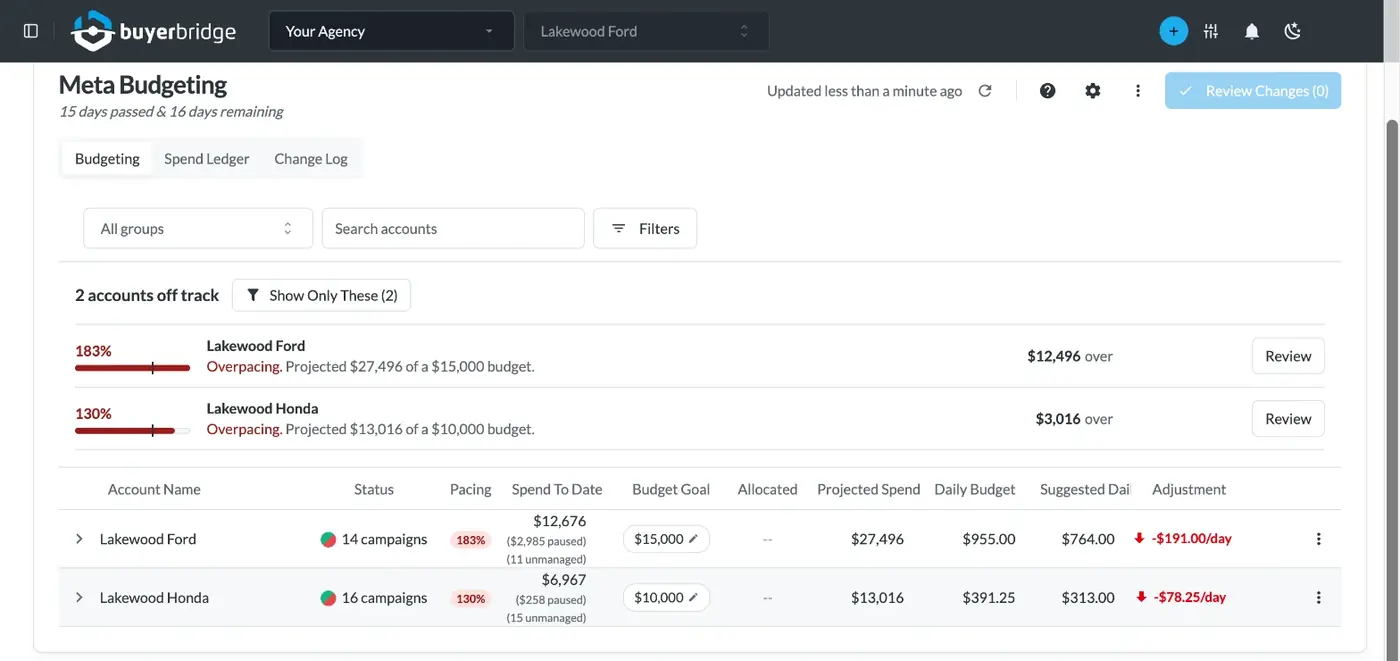
Multi-location marketing software runs advertising for many business locations from one account. Each location keeps its own ad accounts, budget and audience. One team builds, launches and checks every campaign in a single view.
BuyerBridge is multi-location marketing software for paid ads. Agencies use it to run many client accounts, and dealer groups use it to run every store. You connect each ad channel once for your organization, and every location you add uses that connection.
Why Does Multi-Location Advertising Get Hard So Quickly?
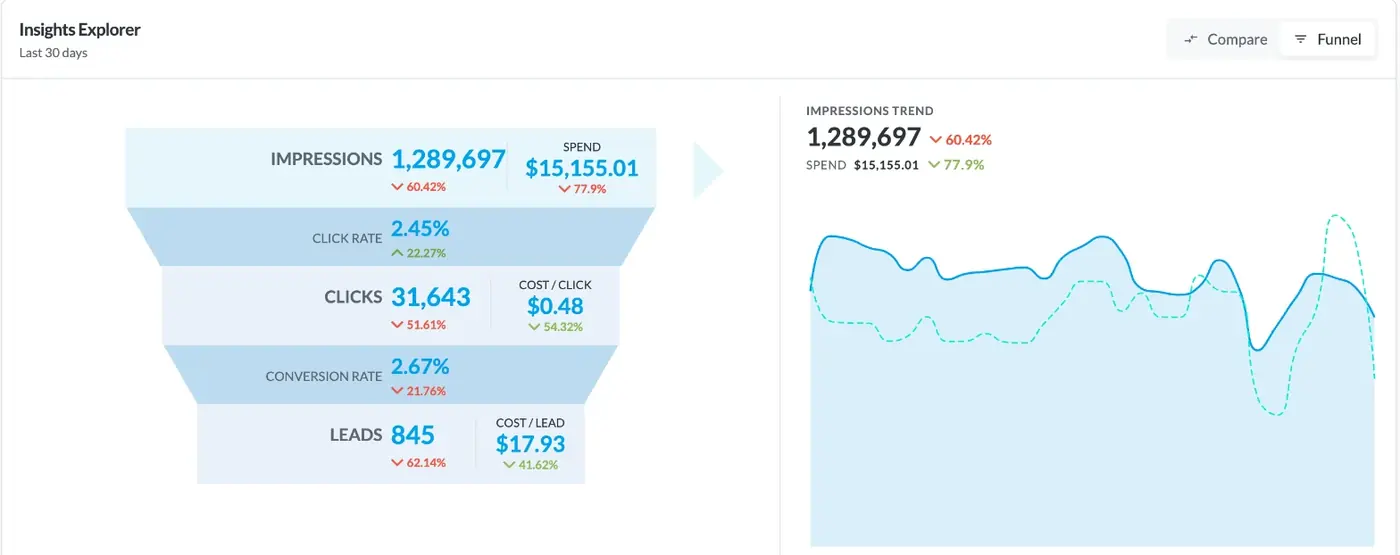
One location is a to-do list. Twenty is a second job. Each store has its own ad account on every channel, its own monthly budget and its own pixel that can break overnight.
Native ad managers show 1 account at a time. So the work grows with every location you add, and the problems show up late, usually when a store manager or client asks why leads dropped.
- A separate login for each platform
- Budget math done by hand near month end
- Pixel and feed errors found after spend is wasted
- A report rebuilt for every location
Switch accounts to see the next location.
Meta in one tab, Google in another, TikTok in a third.
All accounts in 1 list, sorted by what needs attention.
All 6 platforms in the same dashboard and the same report.
How Do You Launch Ads for Every Location at Once?
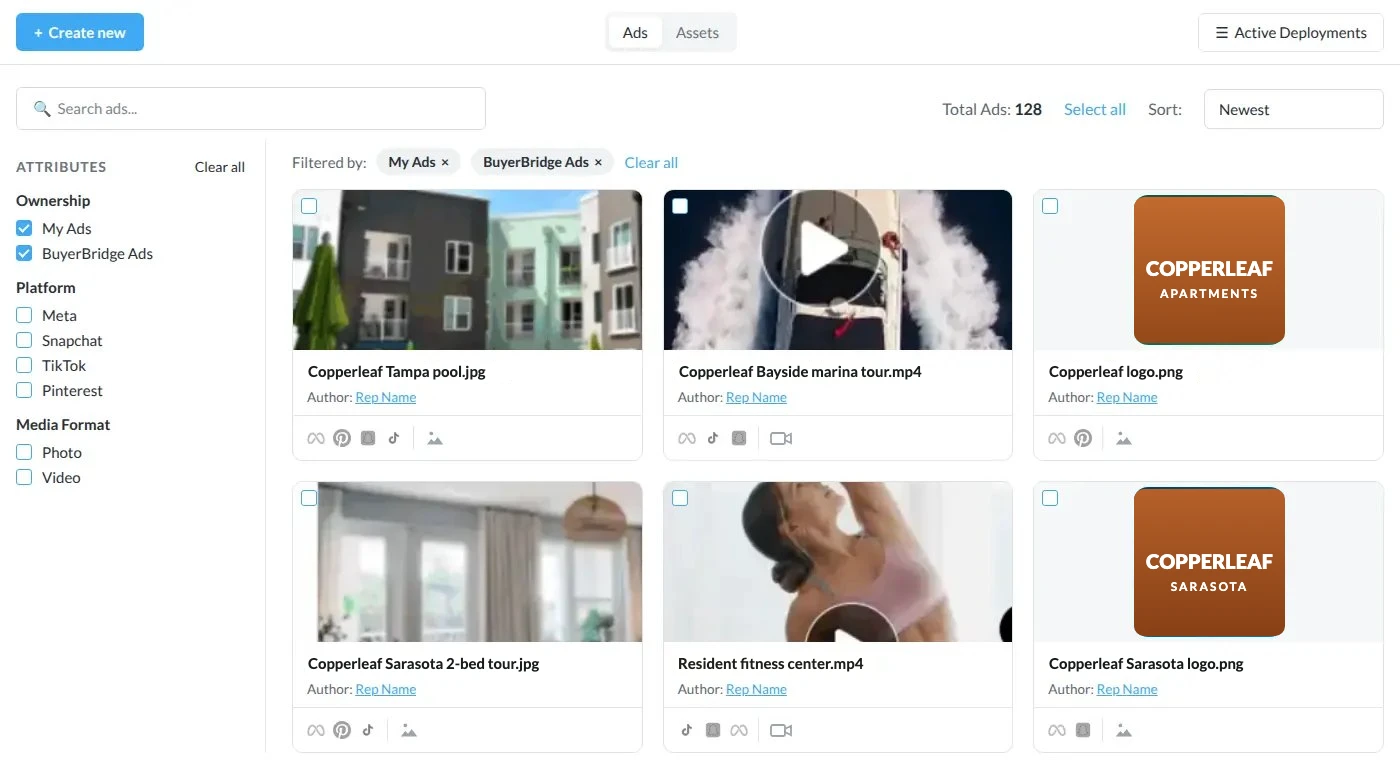
Build the ad once and send it to every channel the location runs. The Ad Builder formats your creative for each placement and shows a live preview on Facebook, TikTok, Snapchat and Pinterest before you deploy.
Automotive teams can start from Playbooks, pre-built campaigns that deploy to Meta, Google, TikTok, Snapchat and Pinterest from 1 wizard. Each location gets its own budget, ad copy and map in that same wizard.
- Upload creative once to the Ads Library and reuse it across accounts
- Send preview links for approval with no platform access needed
- Inventory ads pull vehicles, photos and prices from your feed
- Write the copy once, or change it per platform
How Do You Keep Every Location's Budget on Track?
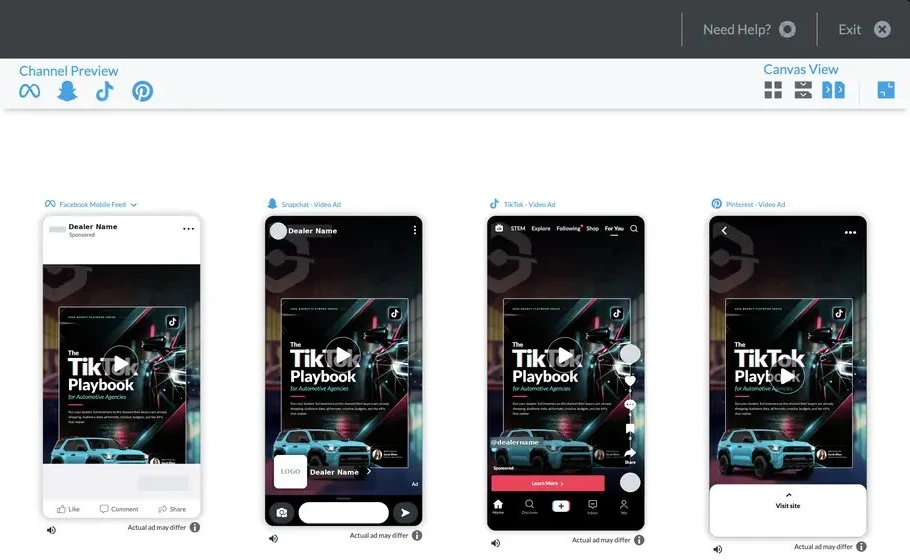
The Budgeting Tool puts every location's monthly goal, spend to date and projected spend on 1 page, for all 6 channels.
Needs attention first
The list opens with the accounts that are underpacing, overpacing or not running, ranked by how much money is at stake.
Auto-pacing
Set a goal at the campaign level and BuyerBridge adjusts the daily budget once a day to land on it.
20% daily cap
Budget changes stop at 20% a day, up or down, so a campaign doesn't drop back into the platform's learning phase.
Bulk changes
Adjust daily budgets for many accounts in 1 window, spread proportionally or evenly.
Change log
Every budget change, who made it and when, including the automatic ones.
Every plan
The Budgeting Tool is part of every BuyerBridge plan, Core included.
Who on Your Team Sees Which Locations?
Add as many users as you need. BuyerBridge has no per-seat fee, so the whole team works in the same place instead of passing logins around.
User groups decide who sees what. An account manager sees only the locations assigned to them, and a client user sees only their own accounts. Holding companies with more than 1 agency can give a person access to each one and let them switch with the agency picker.
- Groups by brand, region, rep or strategy
- Client logins that show only their locations
How Do You Catch Problems Before a Location Loses a Week of Leads?
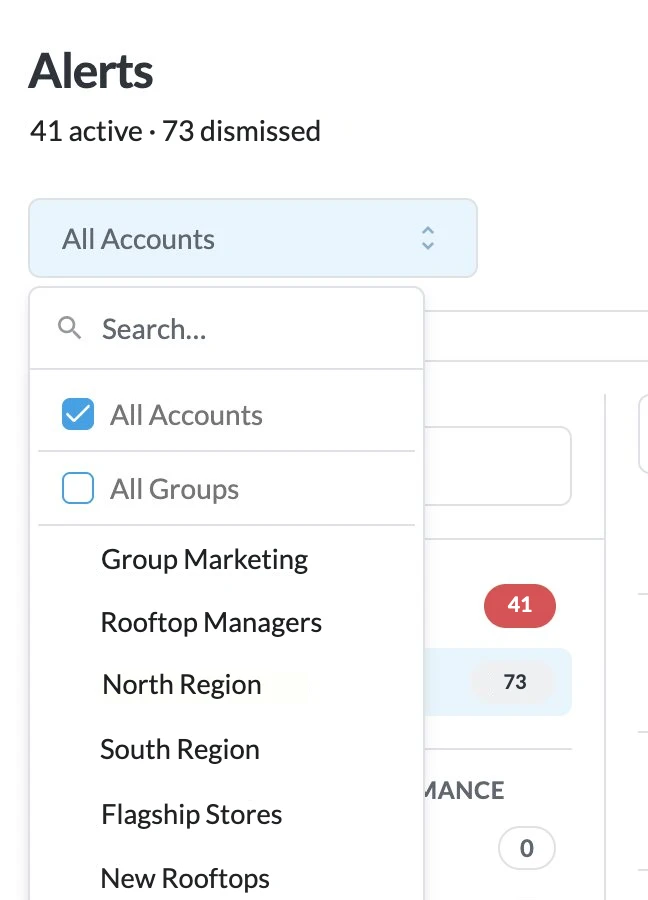
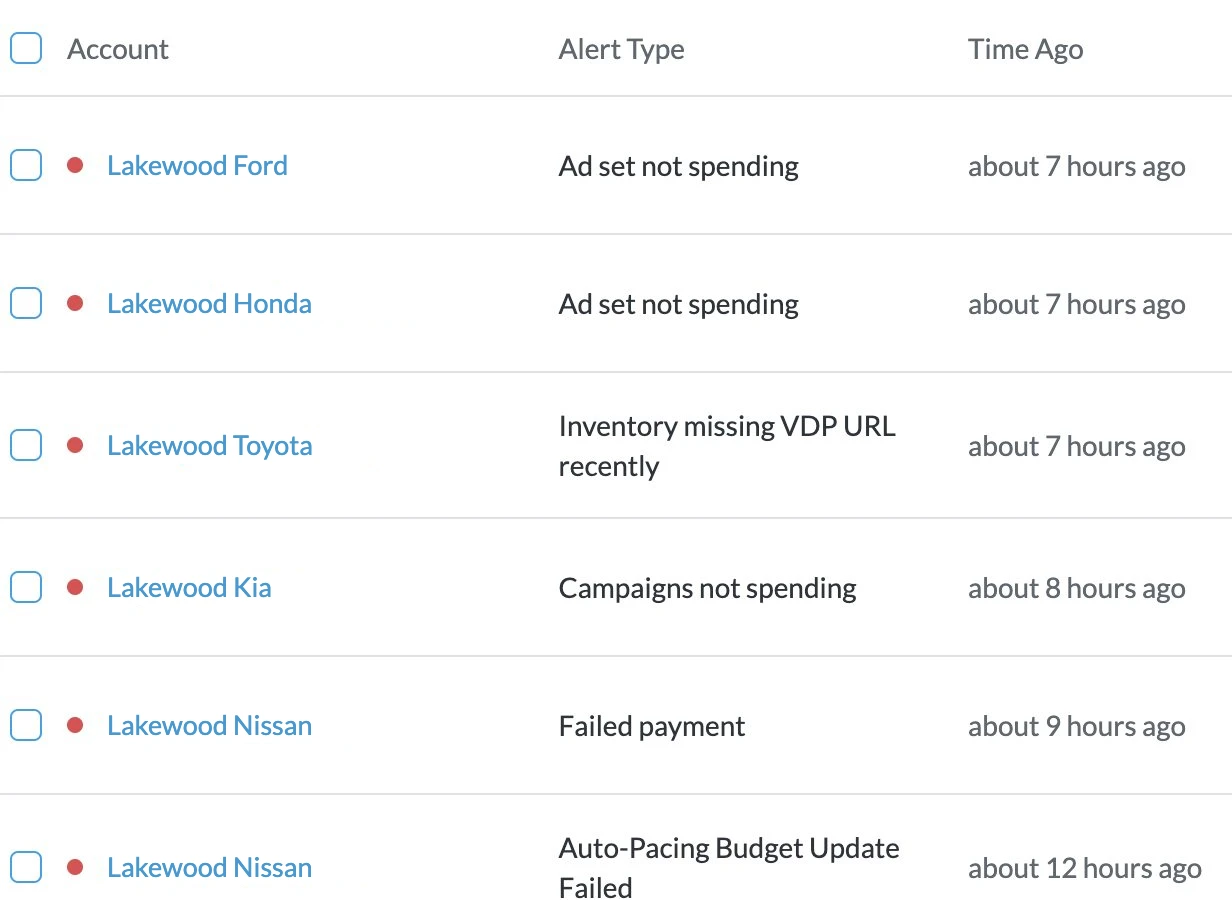
Alerts watch every account for you. A broken pixel, a budget issue or missing inventory data shows up as a color-coded alert in the dashboard, with a button to open a support ticket in 1 click.
Each channel also has its own dashboard with period comparisons, so a drop at 1 location stands out against the others instead of hiding in a monthly total.
- Pixel errors and budget issues flagged per account
- Missing vehicle photos, prices or links flagged in the inventory report
How Does Multi-Location Marketing Software Compare to Native Ad Managers?
Native ad managers work 1 account and 1 platform at a time. Here's what changes when 1 team runs many locations.
Which Businesses Use Multi-Location Marketing Software?
Any team running paid ads for 3 or more locations. BuyerBridge started in automotive, so dealer groups and automotive agencies get extras like Playbooks and inventory ads built from a vehicle feed.
Agencies outside automotive use the same campaign management, budget pacing, alerts and reporting. BuyerBridge can also run ads from most catalog feeds it can map, like rental listings, trailers or boats. It's a paid ads platform, so organic posting and Google Business Profile listings stay in your other tools.
- Automotive agencies and dealer groups
- Franchise brands and their agencies
- Agencies running many local client accounts
- Brands with a store in many markets
Multi-Location Marketing Software FAQ
What is multi-location marketing software?
Multi-location marketing software runs advertising for many business locations from one account. Each location keeps its own ad accounts and budget, while one team launches, paces and reports on every campaign in a single view. BuyerBridge does this for paid ads on Meta, Google, TikTok, Snapchat, Pinterest and Reddit.
Who is BuyerBridge built for?
BuyerBridge is built for digital marketing agencies that manage paid ads for many client accounts, and for dealer groups running ads for 3 or more stores. Teams outside automotive use the same campaign management, budget pacing, alerts and reporting. Playbooks are the automotive-only part of the platform.
Which ad channels does BuyerBridge support?
BuyerBridge supports Meta, Google, TikTok, Snapchat, Pinterest and Reddit in 1 dashboard. You connect each channel once for your organization, and every location you add after that uses the same connection. Facebook needs no setup steps outside BuyerBridge.
How does budget pacing work across many locations?
The Budgeting Tool shows every location’s monthly goal, spend to date, projected spend and daily budget on 1 page, for all 6 channels. Auto-pacing adjusts campaign budgets once a day toward the goal, and changes are capped at 20% a day so campaigns stay out of the learning phase. It comes with every plan, Core included.
Can I limit which locations each user sees?
Yes. BuyerBridge has no per-seat fees, so you can add every person on your team. User groups control access: an account manager sees only the locations assigned to them, and a client user sees only their own accounts. One person can also belong to more than 1 agency and switch between them.
Does BuyerBridge manage organic social posts or Google Business Profile listings?
No. BuyerBridge is a paid ads platform. It launches, manages and reports on paid campaigns across 6 channels. Organic posting, review management and Google Business Profile listings stay in the tools you use for them today.
Can BuyerBridge run ads for businesses outside automotive?
Yes. Campaign management, budget pacing, alerts and reporting work for any multi-location business. BuyerBridge can also run catalog ads from most feeds it can map, like rental listings, trailers or boats. It doesn’t run e-commerce product ads that need a store checkout.
How is BuyerBridge priced?
Pricing is a flat monthly platform fee, plus fees per channel and per location. There are no per-seat charges. Book a 30-minute demo and the team will price it for the number of locations and channels you run.
Run Every Location From 1 Dashboard
Book a 30-minute demo and we'll walk through your locations, your channels and your budgets, live.