
PPC Management Software for Agencies
Run every client's paid search and social from one dashboard.
Six channels shouldn't mean six logins. BuyerBridge is PPC management software for agencies that puts Google, Meta, TikTok, Snapchat, Pinterest and Reddit in one place. Launch campaigns, watch budgets, catch problems and send client reports without opening a single native ad manager.
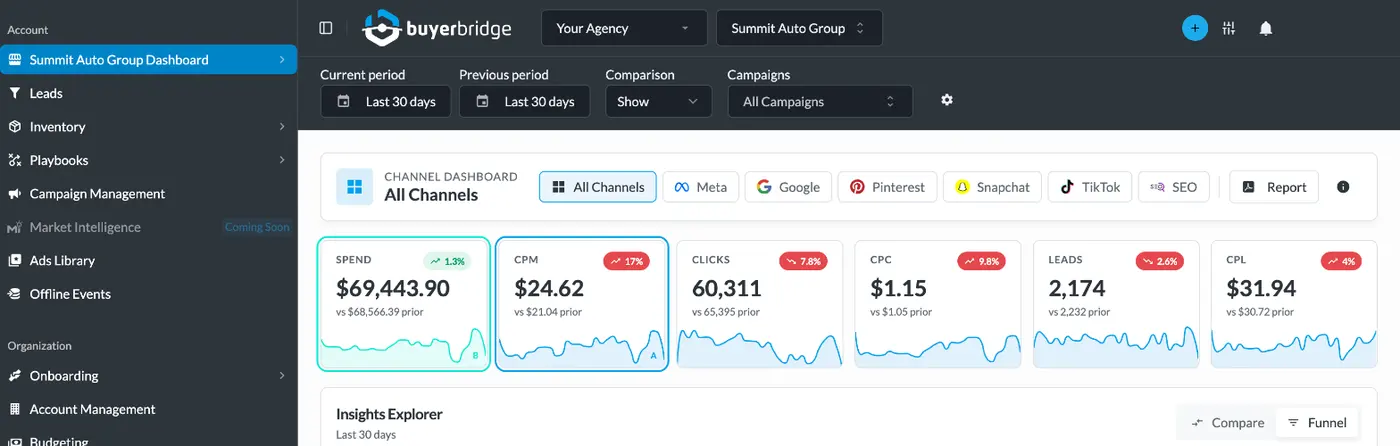
Sample data from a demo agency account.
What a PPC management platform does for an agency
PPC management software is a platform that lets an agency build, run, monitor and report on paid ad campaigns for many clients from a single interface. Native tools like Google Ads and Meta Ads Manager handle one channel and one account at a time. An agency running ten clients across four channels is opening forty dashboards to answer one question: is everything on track?
BuyerBridge is one PPC management platform that answers that question on one screen. It connects to each client's existing ad accounts and pulls every channel into one view. From there your team can pause a campaign, change a budget or send a report without logging in anywhere else.
Connect a new client once and start launching
Signing the client is the easy part. Getting access to their ad accounts, installing pixels, connecting inventory feeds and routing leads is where the first two weeks disappear.
BuyerBridge walks your team through all of it in one guided workflow. Each channel connects once for your whole organization. Meta needs no outside steps at all. Pixels, Google Tag Manager, feeds and lead routing live in the same place, so nobody is chasing logins over email.
Most agencies have their first client live within a week, with up to four hours of hands-on help from our Onboarding and Partner Experience teams. Explore Onboarding Tools →
Every client's campaigns in one table
Spend, leads and cost per lead for every client and every channel sit side by side, so your buyers can pause a campaign or check a budget without opening another ad manager.
See how our campaign management software works →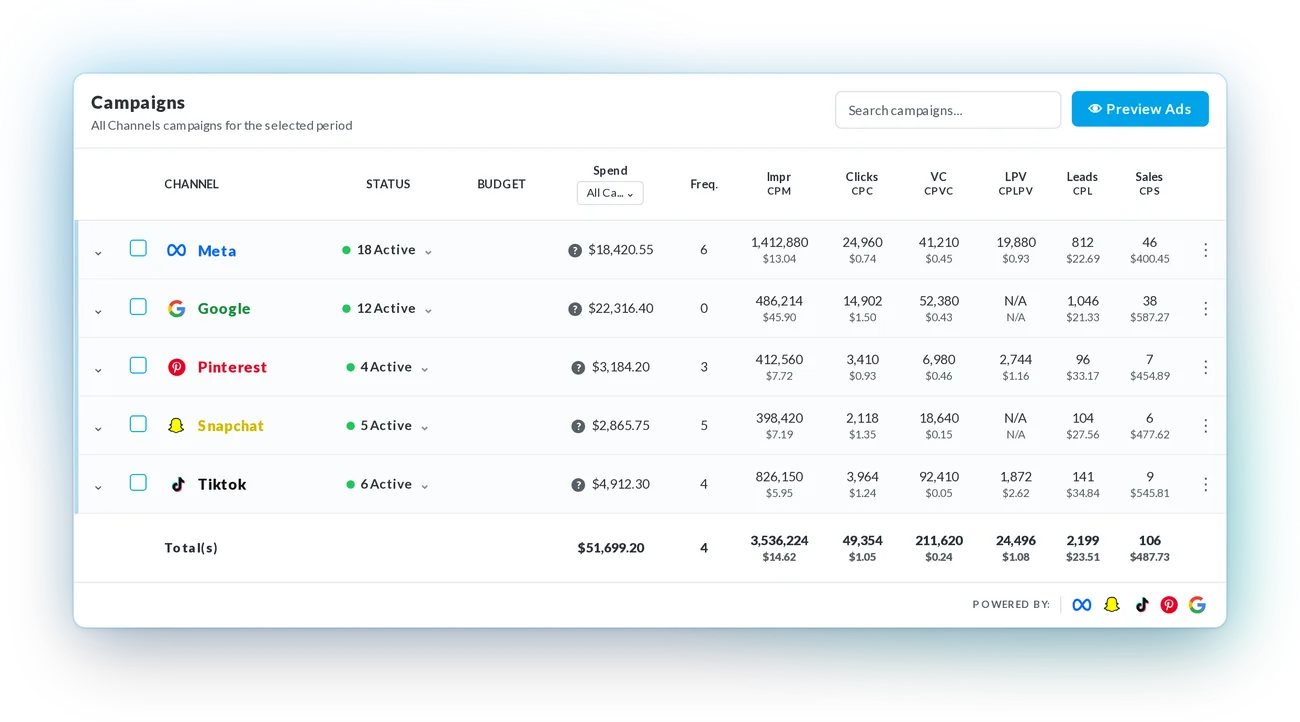
Hit every client's monthly spend goal without the end-of-month math
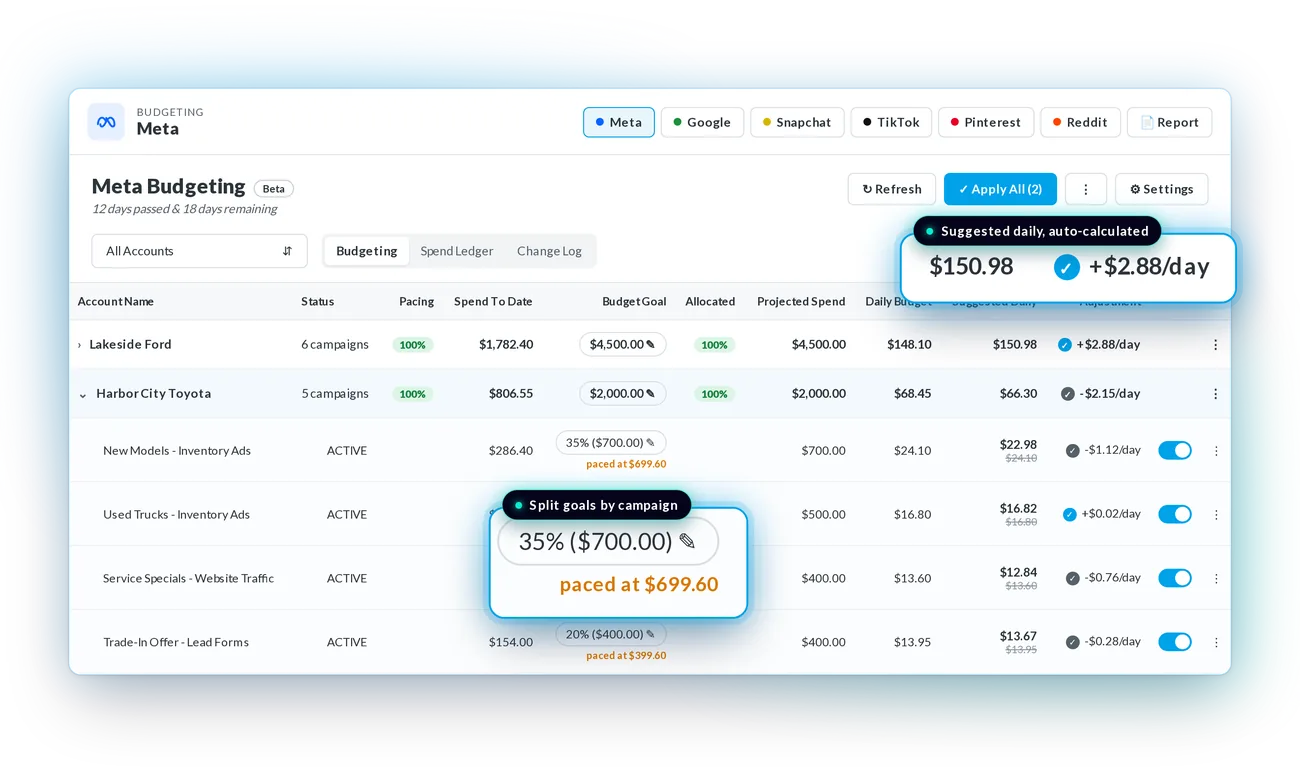
When an account underspends, the client asks what they paid for, and an overspend means an awkward call about the invoice. The Budgeting Tool shows every client account in one table: monthly goal, spend to date, projected spend, current daily budget and the suggested daily budget to land on target.
Set a goal for an account and split it across campaigns by percentage. Auto-pacing adjusts campaign budgets once a day to stay on track. Daily changes are capped at 20% up or down, so campaigns don't get knocked back into the platform's learning phase.
Monthly spend vs. goal, one client account
Illustration. Watch auto-pacing correct a slow start and land on the $4,500 goal.
See exactly when an account drifted
The Spend Ledger charts daily spend against daily budget and the running total against the goal, so you can see exactly when an account drifted and why. The Change Log records every budget change and who made it.
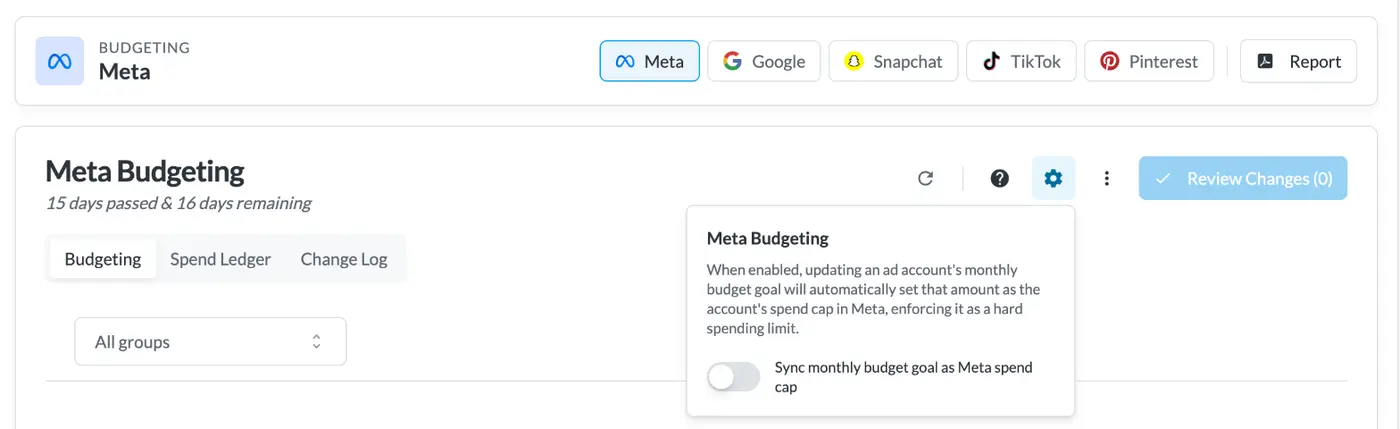
For Meta, you can sync the monthly goal as the ad account's spend cap, which turns the goal into a hard limit.
See Budget Pacing in a Demo →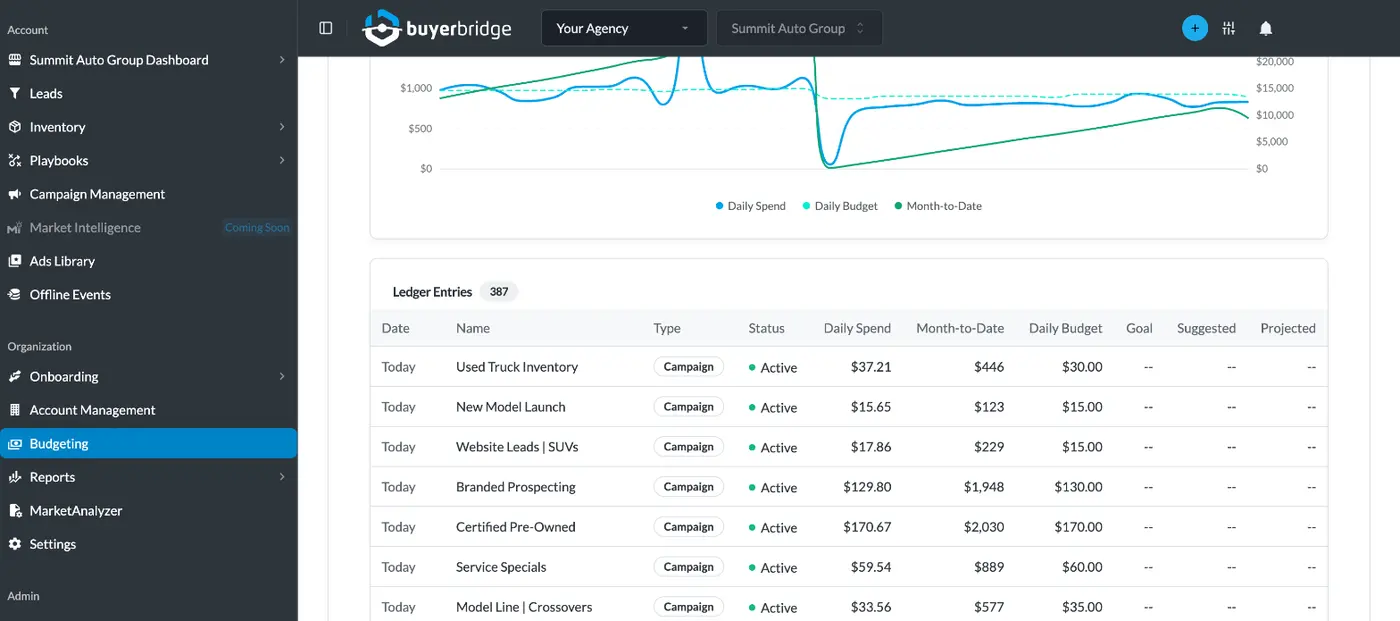
Know what broke before your client does
A disconnected pixel or a feed that stopped updating won't announce itself. Usually it shows up three weeks later as a bad month.
BuyerBridge watches every connected account and flags issues by priority: tracking errors, budget problems, missing inventory data and performance drops outside the normal range. Each alert opens a support ticket in one click. Your team opens the platform and the problem is already waiting, with time to fix it before the client sees the numbers.
See Account Health in a Demo →One build, every channel
Upload creative once, write the copy once, and preview how the ad renders on Facebook, TikTok, Snapchat and Pinterest before you deploy. The Ad Library stores approved assets for reuse across clients, and the Ad Launcher sets goals, targeting and budget for every selected channel in a single flow.
Send one link instead of twenty screenshots
When a client wants to review campaigns before launch, send a secure preview link. It shows channels, objectives, ad sets and the ads themselves as they'll appear in each placement. Clients don't need platform access, and the links don't expire.
Keep fifty client accounts organized
Group accounts by client, region, account manager or strategy. Give each team member access to only the accounts they manage. There are no per-seat charges, so adding a new buyer or account manager doesn't change your bill.
See Account Management →Reports with your logo, built from every channel
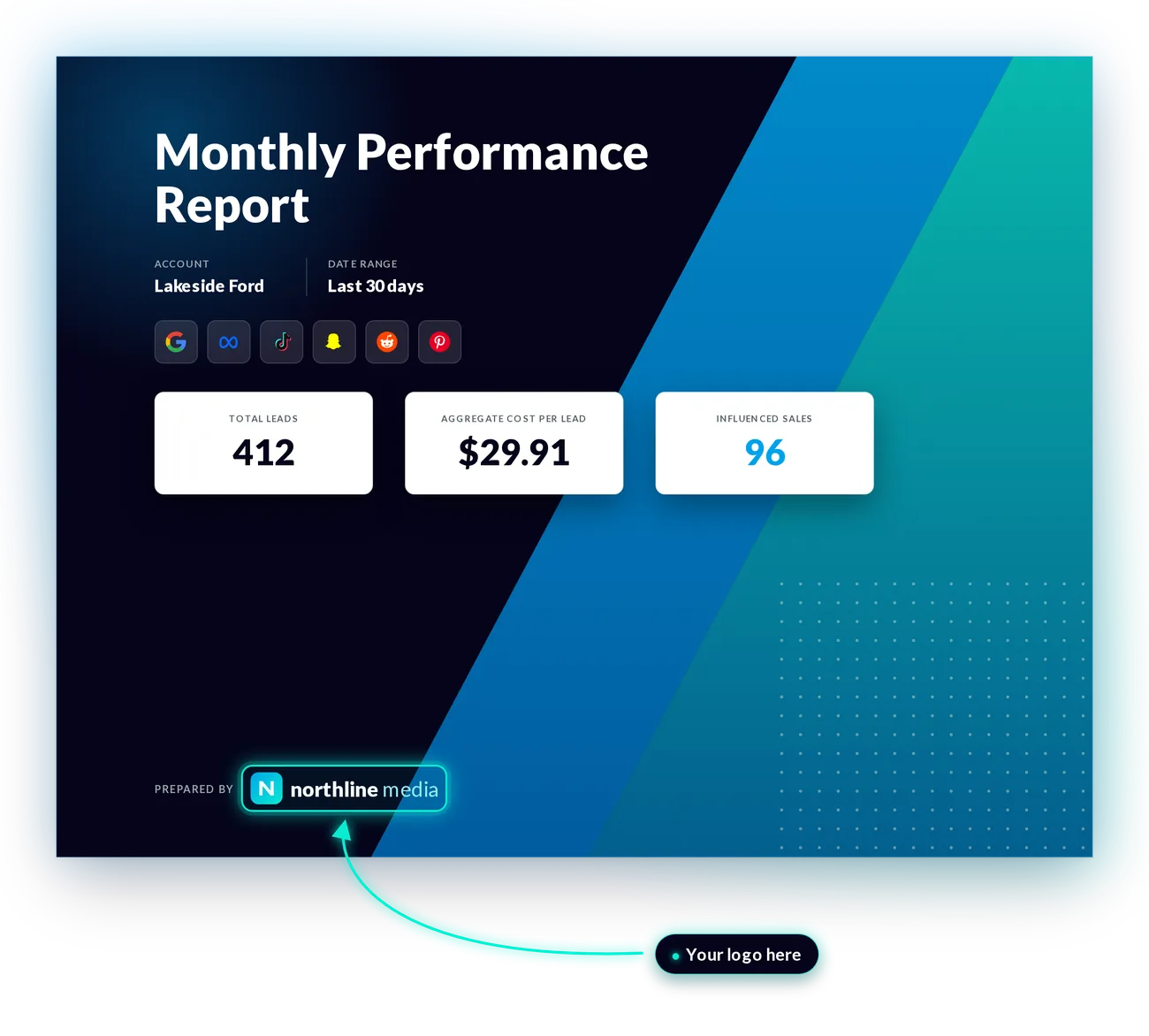
Every report goes out under your agency's name. The Report Builder pulls Google, Meta, TikTok, Snapchat, Pinterest and Reddit into one PDF with your logo, colors and layout. Start from a template or build your own with drag-and-drop widgets. Scheduled reports send themselves each month.
Clients on three channels get one report instead of three exports, and the review meeting can spend its time on results.
See Reporting Tools →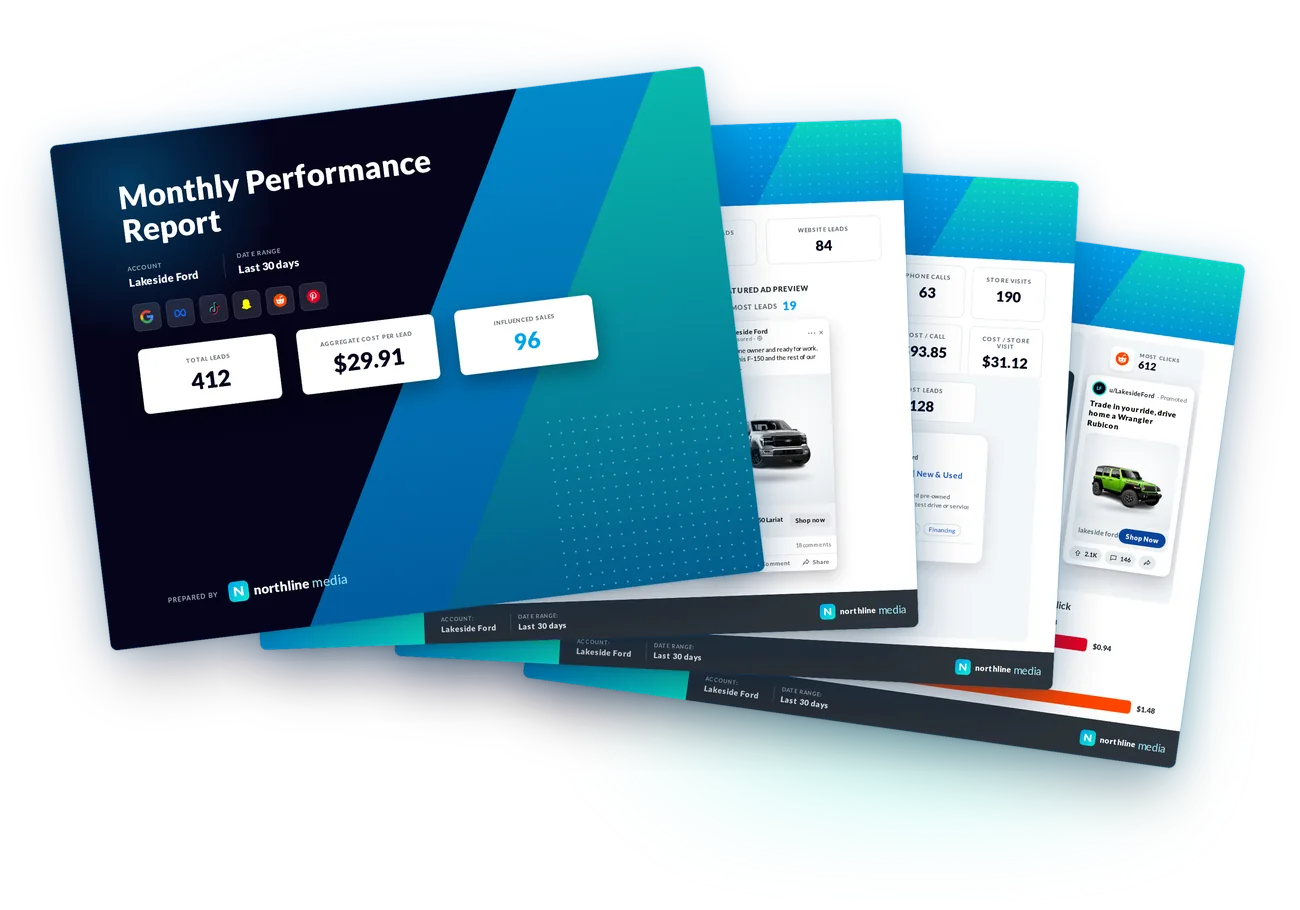
What manual PPC management costs your agency
Agencies tell us the morning check alone, logging into Meta, Google, TikTok and Snapchat one by one to see what happened overnight, takes 30 to 45 minutes. A DoubleVerify survey of 1,970 marketing decision-makers puts manual optimization at over 10 hours a week per campaign manager. Monthly reports run 2 to 3 hours per client once you count pulling, formatting and sending. Add budget math and screenshot approvals and the hours stack up quietly enough that nobody tracks them.
So put a number on it. Move the sliders to match your team.
Example figures for illustration. Your numbers depend on your accounts, channels and team.
Cumulative cost of manual work over 12 months
Now look at it as capacity
If onboarding and managing one new client takes about 40 hours a month, those hours are room for more accounts with the same team. So the bill has a second line: the clients you turn away while everyone is stuck checking dashboards.
Where 8 weekly hours go, per manager
Example split based on what agencies tell us.
Where the hours go, and where they go instead
| Weekly task | Managing natively | With BuyerBridge |
|---|---|---|
| Morning performance check | A login per channel, per client | One dashboard |
| Budget pacing | A spreadsheet per client | One table with suggested daily budgets |
| Client approvals | Screenshots, one ad at a time | One preview link |
| Monthly reports | Export, format and merge each channel | One white-label PDF, sent on a schedule |
| Catching broken tracking | When the month-end numbers look wrong | An alert the day it happens |
How to choose PPC management tools for your agency
Most PPC management tools were built for search-only teams. If your agency runs paid social too, check these before you sign anything:
- Channel coverage. Does it cover every channel your clients buy on? Snapchat and Reddit are the two most often left out.
- Budget control across accounts. Can you see every client's pacing at once and adjust in bulk, or one account at a time?
- Client-facing output. Are reports white-label and multi-channel, or do you still merge exports by hand?
- Onboarding effort. How many days until a new client is live, and who does the setup?
- Seat pricing. Does the bill go up every time you hire?
The right software takes repetitive work off your buyers while keeping every account visible. That's the standard we hold BuyerBridge to.
Planning your next stage of growth? Read how to scale a digital marketing agency or browse our paid advertising guides.
"We went from spending 2 hours building campaigns to under 15 minutes."
Agency partner"We're managing more rooftops than ever, and didn't have to hire."
Agency partner"This is the best technology partner for any automotive marketing agency in the U.S."
Chris W., agency partner since 2018PPC management software questions
What is PPC management software for agencies?
It's a platform that lets an agency manage paid ad campaigns for many clients from one place. Instead of logging into each ad platform for each client, your team builds, monitors, adjusts and reports on every campaign from a single dashboard.
Which channels does BuyerBridge support?
Google (Search, Performance Max and Vehicle Listing Ads), Meta (Facebook, Instagram and Messenger), TikTok, Snapchat, Pinterest and Reddit.
Does BuyerBridge replace Google Ads and Meta Ads Manager?
No. It connects to your clients' existing ad accounts through each platform's API. Campaigns still run in those accounts. BuyerBridge is the layer your team works in day to day.
How long does it take to onboard a client?
Most agencies have their first client live within a week. Each channel connects once for your whole organization, and our team provides up to four hours of hands-on onboarding help.
Can I white-label reports for my clients?
Yes. Reports carry your agency's logo and colors, pull every channel into one PDF, and can be scheduled to send automatically. On the Plus and Elite plans you can also brand the dashboard and MarketAnalyzer.
Is there a limit on users?
No. Add your whole team with no per-seat charges, and scope each person's access to the accounts they manage.
Does BuyerBridge work for agencies outside automotive?
Yes. Campaign management, budget pacing, alerts and reporting work for any agency running paid search and social for multiple clients. The pre-built Playbooks are automotive-specific today.
What should marketing agency software do for a paid ads team?
Marketing agency software for a paid ads team should cut the time spent switching between ad platforms. That means one dashboard for every client account, budget pacing that flags problems before month end, alerts when tracking breaks, and client reports with your logo on them. BuyerBridge covers those across Meta, Google, TikTok, Snapchat, Pinterest and Reddit.
See every client's campaigns in one dashboard
Book a 30-minute demo and we'll walk through your accounts, your channels and where the hours are going.
Book a Demo