

Your Monday starts the same way every week. Open Google Ads. Check the first dealer client. Check the second. Somewhere around the fourth account you find a campaign that stopped serving on Friday and nobody caught it.
Google Ads automation for car dealerships is supposed to fix that morning. Most of the time it does not, because the automation people reach for was built for ecommerce brands with a stable catalog. Dealer inventory is not stable. A store sells eleven cars over a weekend and the ads pointing at those cars are now wrong.
This guide covers what actually saves an agency time on dealer Google accounts, what to leave alone, and how to tell a real automation tool from a rebranded rules engine.
Key Takeaways
- Google Ads automation for car dealerships works best on repeatable setup work: campaign builds, feed syncing, budget pacing, and reporting.
- Bidding, negative keyword strategy, and conversion setup still need a human. Automating those early usually costs money.
- Vehicle Listing Ads are generated from the dealer’s inventory feed, not built ad by ad.
- The biggest agency time drain is not optimization. It is rebuilding the same four Search campaigns for every new rooftop.
- A dealer account with clean conversion tracking and a synced feed will out-perform a hand-tuned account with broken tracking every time.
- One BuyerBridge agency manages 252 rooftops on the platform across six ad channels.
Playbook deployments run on BuyerBridge
Rooftops managed by one agency on the platform
Ad channels in a single dashboard
What Google Ads Automation for Car Dealerships Actually Means
The phrase gets used for two very different things.
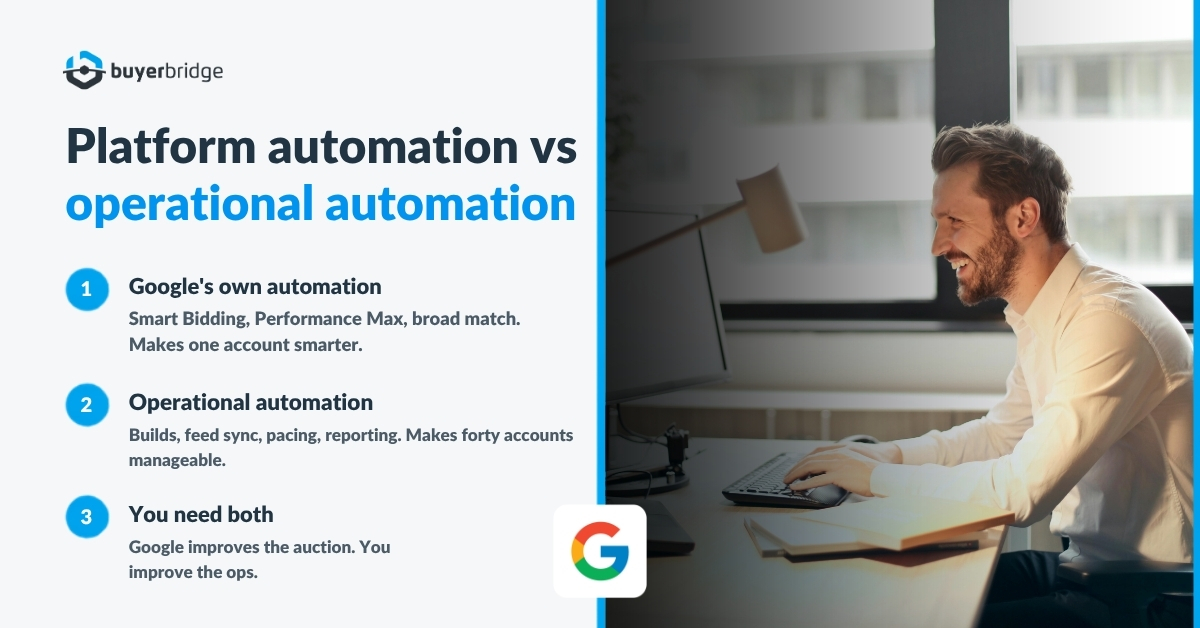
The first is Google’s own automation. Smart Bidding, Performance Max, auto-created assets, broad match. These live inside the ad platform and they decide where your money goes. You do not control them directly. You feed them signals and goals.
The second is operational automation. Software that sits above Google Ads and handles the work of building, launching, syncing, pacing, and reporting on campaigns across many accounts. This is the layer agencies are usually shopping for, and it is what most Google Ads automation tools are selling.
The difference matters. Google’s automation makes one account smarter. Operational automation makes forty accounts manageable. An agency running dealer clients needs both, and the second one is the piece nobody hands you.
Here is the honest version. Google’s bidding will get better every year whether you help it or not. Your ability to launch a new rooftop in two days instead of two weeks is entirely on your side of the wall.
Why Dealership Google Accounts Break Past Three Rooftops

One store is easy. You know the inventory, you know the manager, you notice when something looks off.
At three stores the cracks start. At ten, the work stops being campaign management and becomes account triage. A few reasons why dealer accounts scale worse than almost any other vertical:
- Inventory turns daily. A Ford store might list 240 vehicles this morning and 228 tomorrow. Ads tied to sold units waste spend and annoy shoppers.
- Every rooftop is a separate Google Ads account. Separate budgets, separate conversions, separate Merchant Center, separate verification.
- Service and parts queries pollute sales campaigns. Without tight negatives, “oil change near me” eats a sales budget.
- OEM co-op rules differ by brand. What flies for a Chevy store gets a Toyota store’s claim denied.
- Tracking breaks quietly. A GA4 tag drops off, conversions go to zero, and nobody sees it for nine days.
None of that is an optimization problem. It is a volume problem. And volume problems get solved with process, or they do not get solved.
Search, Performance Max, and Vehicle Listing Ads: What Each One Automates
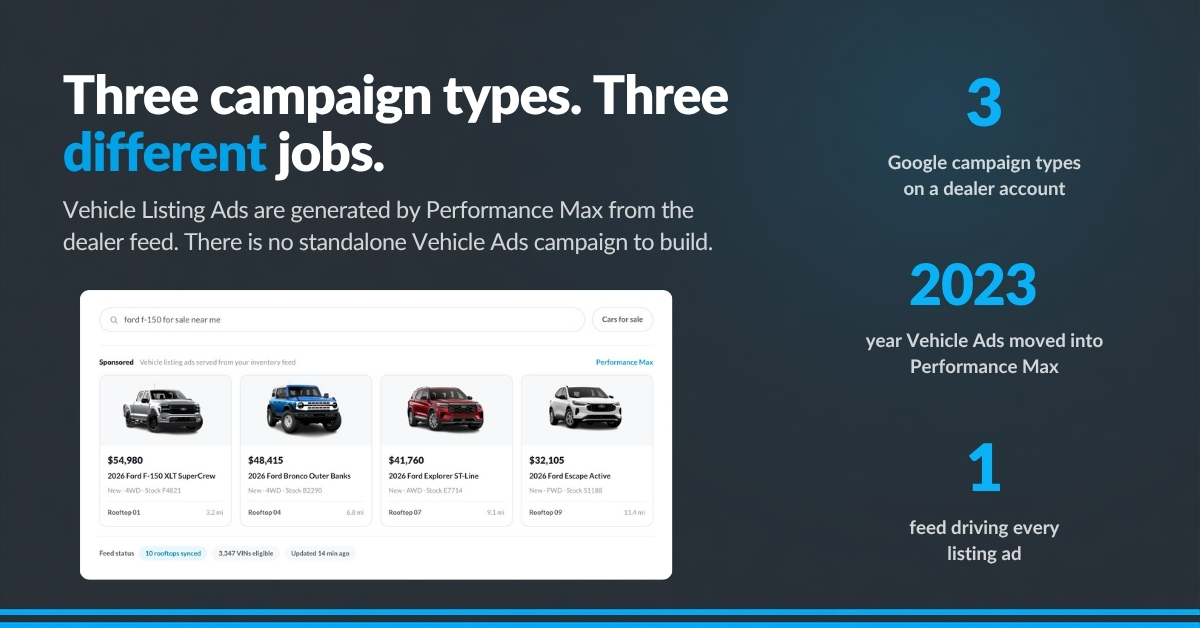
Dealer Google accounts run three campaign types. Knowing which parts each one automates on its own tells you where your tooling needs to fill gaps.
| Campaign type | What Google automates for you | What you still own |
|---|---|---|
| Standard Search | Bidding, ad rotation, some asset generation | Keywords, match types, negatives, ad copy, budgets, geo |
| Performance Max | Placement, bidding, audience expansion, creative assembly | Feed quality, product sets, audience signals, budget, exclusions |
| Vehicle Listing Ads | Ad creation from the vehicle feed, matching to shopper queries | Merchant Center approval, feed accuracy, inventory grouping |
One thing trips up new automotive teams. Vehicle Listing Ads are not built ad by ad. Google moved Vehicle Ads campaigns into Performance Max starting September 2023, and since May 2026 they can also run in Standard Shopping campaigns. Either way, the ads are generated from the dealer’s vehicle feed (Google Merchant Center Help).
That has a practical consequence. If the feed is wrong, no amount of campaign tuning saves the account. Feed accuracy does more for a dealer Google account than any campaign setting, and it is the one thing most agencies still handle by hand.
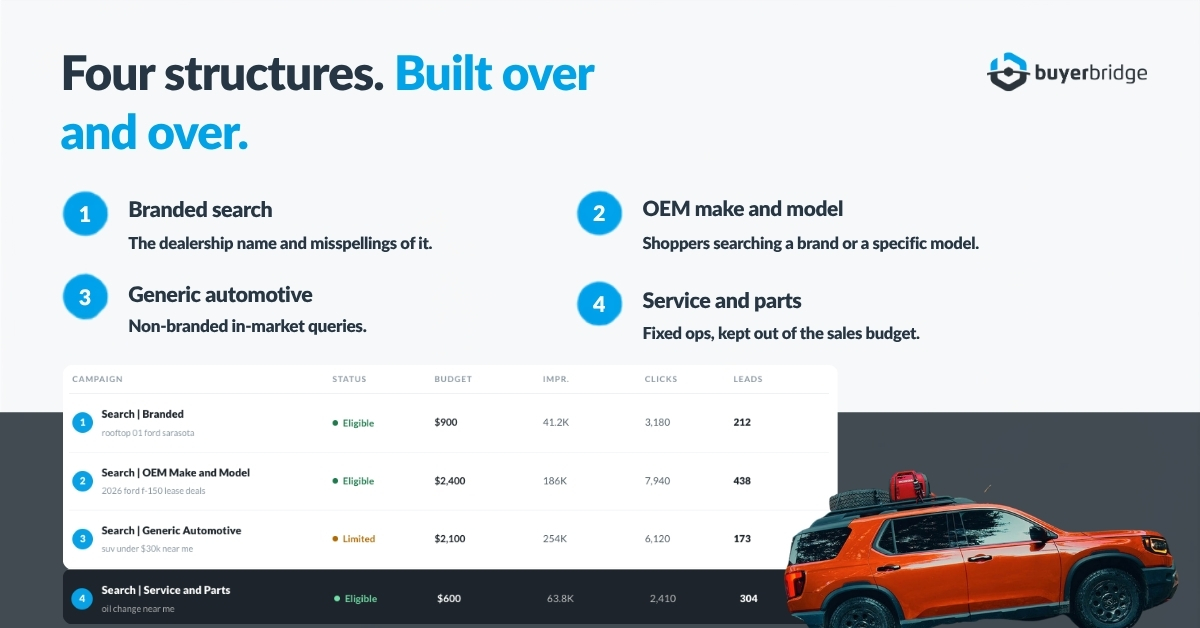
Search splits by shopper intent. Store branding, OEM make and model, generic in-market queries, and service each get their own campaign so keyword sets stay clean and you can read performance per intent. Mash them together and you lose the ability to tell your client anything useful.
Move 1: Stop Building the Same Campaign Twice
Count how many Search campaigns your team has built for dealer clients this year. Now count how many were structurally different from each other.
The answer is usually four or five real structures, built over and over with a different store name dropped in. Branded search for the dealership. OEM make and model. Generic automotive. Service and parts. A PMax campaign pulling the vehicle feed.
Templated campaign builds solve this. Instead of a blank campaign, you deploy a pre-built structure that already carries the keyword sets, match types, negatives, ad group themes, and responsive search ads with tokens for the dealer name, city, and OEM. You set the budget and the geo. The build takes minutes. On BuyerBridge, every channel now deploys through the same wizard, so a Google build follows the same steps as a Meta one.
Agencies on BuyerBridge have run 5,882 Playbook deployments to date, and 86.6% of them completed successfully. That number is not a speed claim. It is evidence that the same handful of structures cover most of what dealer accounts need.
“We went from spending 2 hours building campaigns to under 15 minutes.”
The catch worth naming: a template gets you a correct account, not an optimized one. Bid strategy, audience mode, and conversion goals still need a person after deploy. Any tool that says otherwise is selling you a problem you will find in week three.
Move 2: Let the Inventory Feed Write the Ads
Manual ad copy for individual vehicles is a losing game. The car sells, the ad stays up, the shopper clicks a dead VDP, and the dealer calls you.
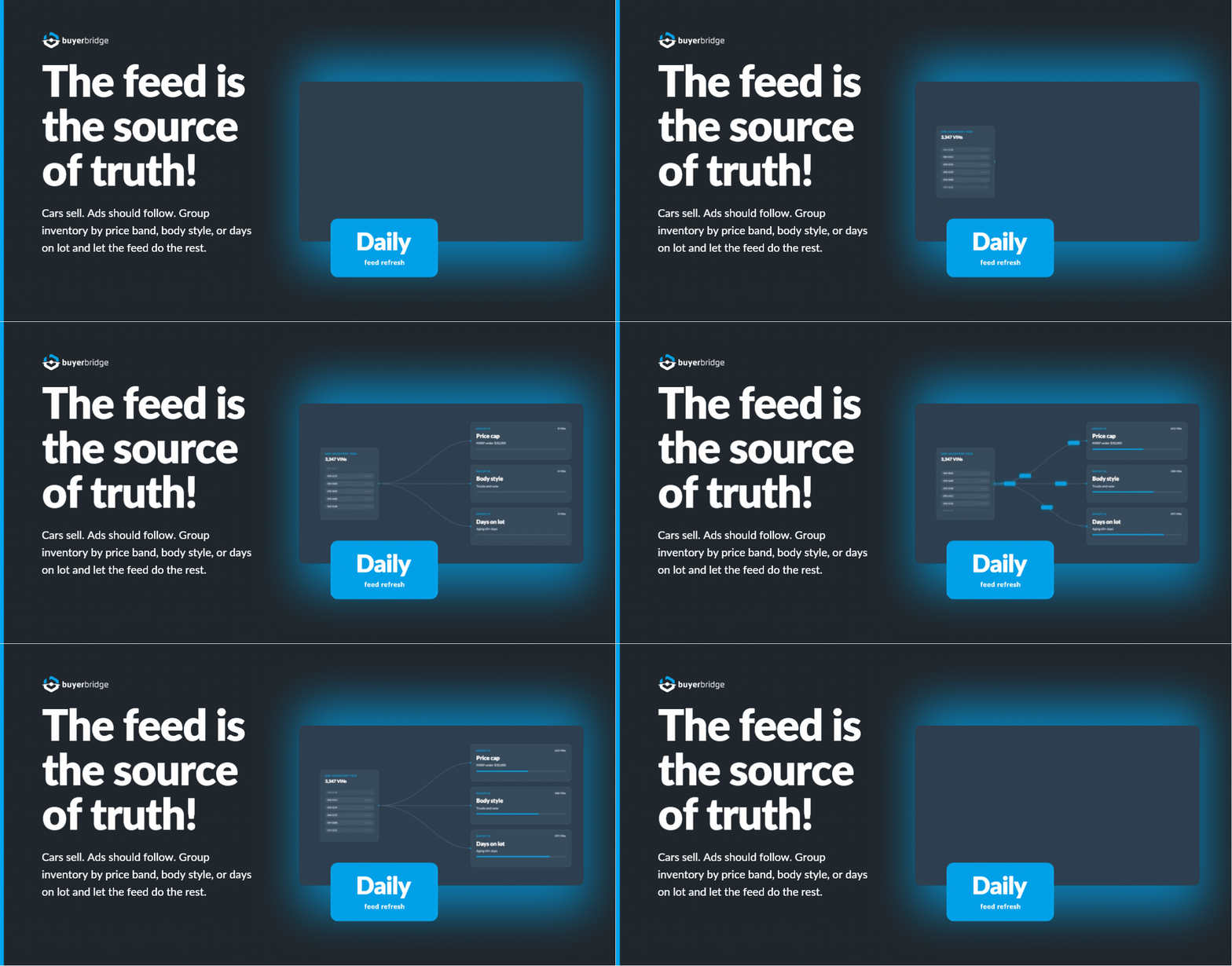
Feed-driven campaigns flip that. The dealer’s inventory feed becomes the source of truth. Performance Max reads the feed, builds Vehicle Listing Ads from what is actually on the lot, and drops vehicles as they sell. Your job moves from writing ads to keeping the feed clean and grouping inventory sensibly.
Grouping is where the strategy lives. A product set built around used SUVs under $35,000 behaves nothing like one built around Mustangs sitting 45 days or longer. Same store, same budget, very different outcomes. Pull vehicle feeds from the dealer’s provider, format them into a catalog, refresh daily, and the campaign follows inventory without anyone touching it.
Feed hygiene checklist before you launch PMax on any store:
- Merchant Center inventory approved, not just uploaded
- VDP URLs resolving, no redirect chains
- Prices matching the website exactly
- Images present on at least 90% of units
- New and used split cleanly if the store carries both
Skip that list and you will spend your first two weeks fighting disapprovals instead of reading performance.
Move 3: Pace Budgets and Catch Problems Before the Client Does
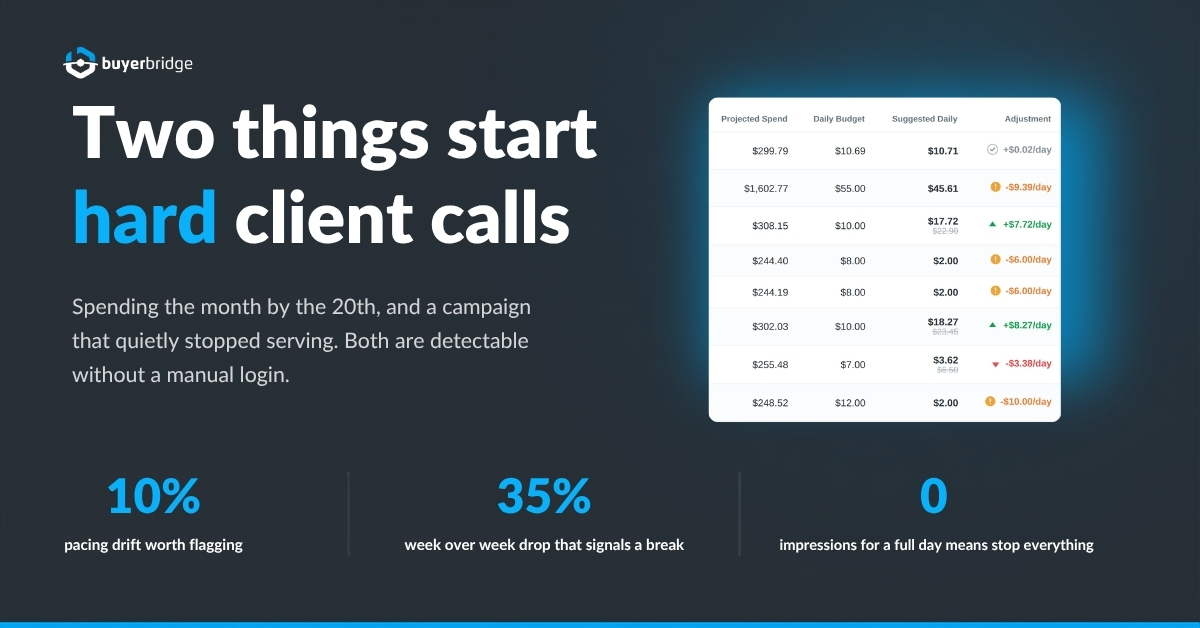
Two things reliably start hard conversations with a dealer. Spending the full month’s budget by the 20th, and a campaign that quietly stopped serving.
Both are detectable. Neither is worth a human checking manually across forty accounts every morning.
Budget pacing automation compares projected monthly spend against the actual budget and flags accounts drifting more than about 10% off pace. Campaign-level checks catch daily spend running past the cap or a campaign flagged “Limited by budget.” That is a dashboard read, not a login-and-scroll exercise.
Alerting covers the rest. The set worth watching on a dealer Google account:
| Signal | Why it matters | Typical threshold |
|---|---|---|
| Impressions drop to zero for a full day | Campaign disabled, budget exhausted, or disapproval | Enabled campaign, live 3+ days |
| Account clicks fall sharply week over week | Feed break or tracking loss | Down 35% vs same day last week |
| Conversions fall sharply | GA4 tag disconnected or goal misconfigured | Down 35% vs trailing 7-day average |
| Cost per conversion climbs | Bid strategy or competitive shift | Up 35% vs trailing 7-day average |
| Monthly pacing off target | Client budget conversation incoming | More than 10% off projection |
Set thresholds against a trailing average rather than yesterday. Dealer accounts are noisy day to day, and an alert that fires every Tuesday gets ignored by Thursday.
Move 4: Keep Keywords and Negatives Clean Without a Weekly Audit
Search term reports are the most valuable and least read document in dealer PPC.
The waste is predictable. Job seekers searching the dealership name. People looking for recalls. Salvage shoppers. Parts queries landing in a sales campaign. Owners looking for the service department when you are paying for vehicle intent.
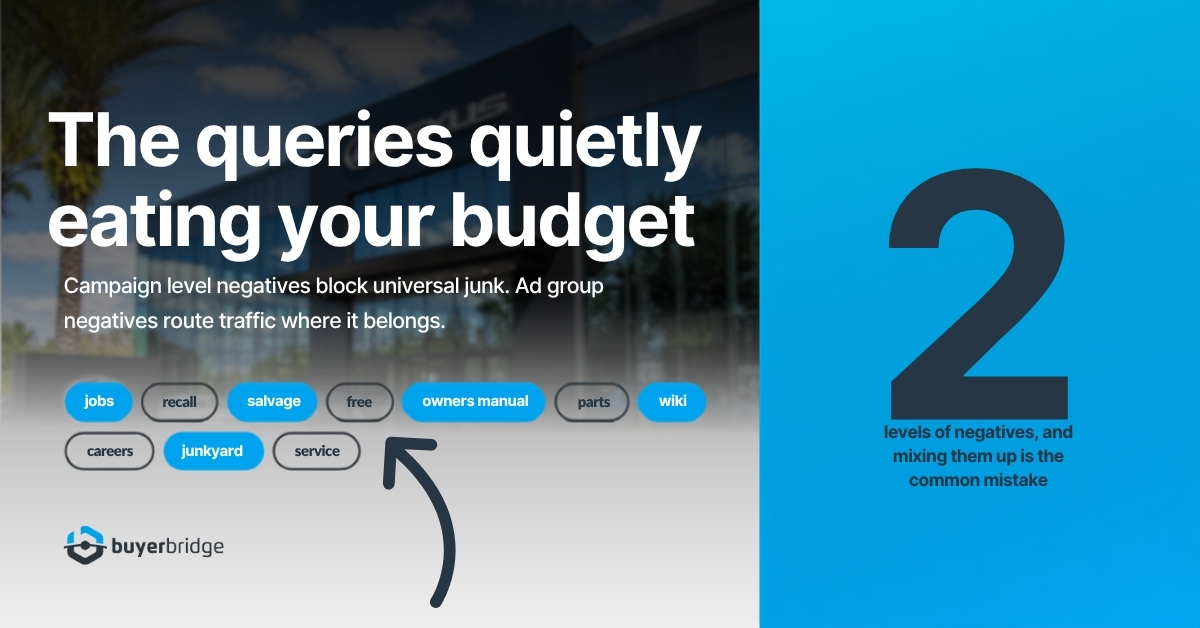
Negatives work at two levels, and mixing them up is a common mistake:
- Campaign level for universal junk that never belongs anywhere: free, jobs, careers, recall, salvage, manual, wiki.
- Ad group level to route traffic where it belongs, like blocking a model term in the generic ad group so it lands in the campaign built for that model.
Add the dealer’s own store name as a negative in every non-branded campaign. Otherwise your generic campaign buys traffic your branded campaign would have won for a fraction of the cost, and your reporting stops making sense.
Match type strategy depends on how actively the account is managed. Use all three where someone reviews search terms weekly. Default to phrase and exact on hands-off accounts, because broad match left alone drifts toward parts, service, and recall queries within a month.
Automation helps by surfacing new search terms above a spend threshold and by applying your standard negative list to every new account at build time. It does not help by auto-adding negatives on its own. That is a judgment call, and the wrong one blocks a model you actually stock.
Move 5: Send Client Reports That Take Minutes, Not Fridays
Ask an agency owner where the hours go and reporting comes up before optimization does.
The pain is not building one report. It is building the twelfth one, pulling Google, Meta, and whatever else the client runs, formatting it so it looks like your agency made it, and doing that again in thirty days.
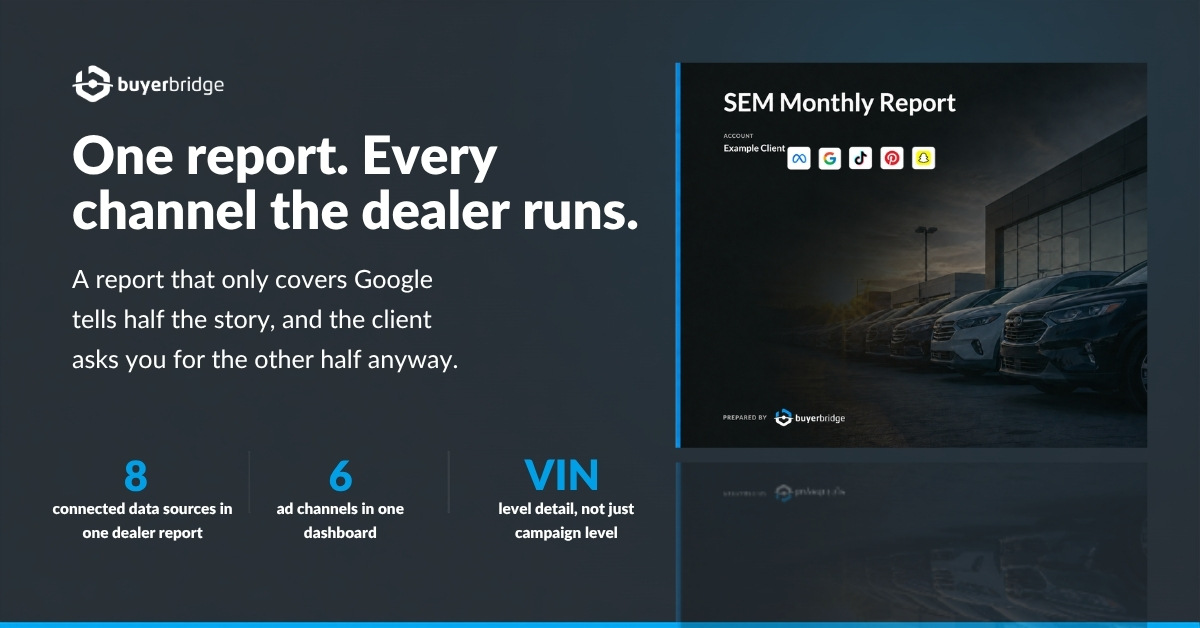
Automated reporting for dealer clients should cover three things. Cross-channel performance in one view, so the client is not comparing four PDFs. White labeling, so the report carries your logo and not your vendor’s logo. And vehicle-level detail, because a dealer’s general manager wants to know which units moved, not what your click-through rate was.
On BuyerBridge, a single dealer report pulls from eight connected data sources: Google, Meta, Pinterest, Snapchat, TikTok, Reddit, SEO, and GA4. That breadth is the point. A report that only covers Google tells a dealer half a story, and they will ask you for the other half anyway.
One more thing worth automating: sales matchback. Connecting ad exposure to units sold changes the renewal conversation from clicks to cars. It takes offline event uploads and a little setup, and it is the single strongest retention tool an automotive agency has.
Move 6: Onboard a New Rooftop in Days

New client onboarding is where agencies lose margin without noticing. The campaigns are the easy part. The setup around them is what drags.
A complete dealer Google onboarding touches four connected accounts: Google Ads, Merchant Center, Google Business Profile, and GA4, all linked to each other. Then conversion goals at the account level, not per campaign, because splitting goals starves the data Google’s bidding needs. Then billing, set a few days before launch so payment does not fail on day one. Then advertiser verification, which needs a document and a photo ID from someone at the store.
Sequence it like this:
- Collect access to all four Google properties and confirm admin rights, not view-only.
- Link Merchant Center and GA4 to Google Ads, then deploy GA4 events. Allow 24 to 48 hours for events to appear.
- Set the four account-level conversion goals and remove anything Google auto-created.
- Load the vehicle feed and wait for Merchant Center inventory approval. Search can deploy before this. PMax cannot.
- Deploy campaigns paused, set geo at roughly 25 miles plus nearby feeder cities, then peer review before anything goes live.
- Start advertiser verification in week one, and check conversions are recording in weeks one and two.
Guided onboarding workflows automate the checklist and the linking. They do not automate the dealer sending you their Merchant Center login, which remains the slowest step in the process and always will.
What to Automate and What to Keep Manual
Automating the wrong thing costs more than automating nothing. This is the split that holds up across dealer accounts.
| Task | Automate | Keep manual | Why |
|---|---|---|---|
| Campaign builds | Yes | Same four or five structures every time | |
| Vehicle feed sync and ad generation | Yes | Inventory changes daily, humans cannot keep up | |
| Budget pacing checks | Yes | Math against a projection, no judgment needed | |
| Performance and tracking alerts | Yes | Detection is mechanical, response is not | |
| Client reporting | Yes | Formatting is repeatable, insight is written on top | |
| Bid strategy switches | Yes | Needs 15 to 30 conversions in 30 days before switching | |
| Negative keyword additions | Yes | Blocking a model you stock is expensive | |
| Conversion goal setup | Yes | One wrong goal poisons bidding for months | |
| Audience targeting mode | Yes | Targeting narrows too far, observation is usually right | |
| Ad copy for branded campaigns | Yes | Store voice and OEM co-op language vary by brand |
A useful test before you automate anything: if the task has one correct answer given the inputs, automate it. If two experienced people would answer differently, keep a human on it.
How to Choose Google Ads Automation Tools for Automotive

Most tools in this category were built for ecommerce and adapted later. You can spot the difference in about ten minutes of a demo.
Questions that separate real automotive tooling from a general rules engine:
- Does it read a dealer inventory feed directly, or does it need a middleman to format one?
- Can it build a product set from vehicle attributes like days on lot, price band, and body style?
- Does it deploy Search and Performance Max, or only manage what already exists?
- Can one report cover Google alongside the other channels the dealer runs?
- Does the reporting go to vehicle level, or does it stop at campaign level?
- Is white labeling included, or is it an upsell?
- What happens when a store’s feed breaks on a Saturday?
Watch out for tools that automate rules but not builds. A rules engine will pause a campaign for you at midnight. It will not stand up a new rooftop. Those are different jobs and agencies routinely buy the first while needing the second.
Scale is the other thing to check. Ask what the largest account load on the platform actually is. One agency runs 252 rooftops on BuyerBridge, which is a real number from a real account rather than a capacity promise.
FAQ: Google Ads Automation for Car Dealerships
What is Google Ads automation for car dealerships?
Google Ads automation for car dealerships is software that handles the repeatable parts of running dealer search campaigns: building Search and Performance Max campaigns from templates, syncing vehicle inventory feeds into ads, pacing budgets across multiple stores, and generating client reports. It sits above Google Ads and manages many dealer accounts at once, which is different from Google’s own in-platform automation like Smart Bidding.
Do Vehicle Listing Ads still need Performance Max?
Not anymore. Google moved Vehicle Ads campaigns into Performance Max starting September 2023, then added vehicle ads to Standard Shopping campaigns in May 2026. Both campaign types build the ads from the dealer’s vehicle feed through Merchant Center. You do not write the ads one by one, so feed accuracy and Merchant Center approval matter more than campaign settings.
How long should a new dealer Google Ads account take to launch?
With guided onboarding and templated campaign builds, roughly one week from access to live. The pacing item is rarely the campaign work. It is collecting admin access to Google Ads, Merchant Center, Google Business Profile, and GA4, getting Merchant Center inventory approved, and completing Google advertiser verification, which requires a document and photo ID from someone at the store.
Should dealer Search campaigns start on Maximize Clicks or Maximize Conversions?
Start new accounts on Maximize Clicks to gather data, then switch to Maximize Conversions once the account records roughly 15 to 30 conversions in a 30-day window. That usually takes 30 to 45 days. Switching too early starves the bid strategy. Leaving it on Maximize Clicks indefinitely buys traffic without ever prioritizing the clicks that turn into leads.
Does campaign automation replace a PPC specialist on dealer accounts?
No. Automation removes build time, feed maintenance, pacing checks, and report formatting. Conversion setup, negative keyword judgment, bid strategy timing, audience mode, and OEM co-op compliance still need someone who knows automotive. Agencies that see the biggest gain use automation to raise how many rooftops one specialist can carry, not to remove the specialist.
How many dealer accounts can one person realistically manage?
It depends on how much of the setup work is automated. Agencies doing manual builds and manual reporting tend to cap out around 8 to 12 accounts per person. With templated builds, feed-driven campaigns, and automated reporting, that number climbs considerably.
Where to Start
Pick the single task your team repeats most this month and automate that one first. For most agencies running dealer clients, it is the campaign build, and fixing it frees the hours you need to fix everything else. If cross-channel work is also eating your week, our guide to marketing automation tools for social ads covers the same problem on the paid social side. For the bigger picture, see our guide on how to scale a digital marketing agency without adding headcount.
Written by Emily Leasure, Product Marketing Manager at BuyerBridge.